Best Payroll Software for Agencies Without a Subscription
For an agency paying a mix of W-2 staff and 1099 freelancers with no recurring bill, ezPaycheck covers both at a low price: $169 for the year, nothing charged automatically, contractors kept in the same company file, and the 941 and 940 e-filed from inside the program. A team of nine or fewer can do it for $0 with Payroll4Free, which pays contractors and handles direct deposit through your own bank, in return for ads in the software and a limit of one pay run a month.
Beyond those two, what separates the seven is what the headline price actually buys. Medlin Payroll at $89 and CheckMark Payroll at $579 both include direct deposit through your own bank and e-file federal forms, but each sends contractor 1099s to a separate product. Payroll Mate's $219 is a base price with direct deposit and 1099s sold on top. And PenSoft Payroll Professional and PaycheckCity Payroll still renew themselves every year, which may be exactly what you came here to avoid.
Our picks
- Paying staff and freelancers from one file: ezPaycheck. $169 a year with no auto-renewal, 1099 contractors included, up to 500 people per company, and the 941 and 940 e-filed from inside the app.
- A team of nine or fewer paid monthly: Payroll4Free. $0, runs in a web browser, and includes 1099 contractors and direct deposit through your own bank. The free tier stops at nine people paid no more than once a month.
- Lowest price for a paid program: Medlin Payroll. $89 for the year with unlimited employees, and the 940, 941 and 944 can be e-filed through NELCO. Windows only, and 1099s live in a separate accounting program.
- Running payroll for several client companies: Payroll Mate. The $219 base covers ten separate companies of up to 75 people each and handles piece rate, pay per mile and tips; direct deposit and 1099s cost extra.
At a glance
| Option | Price per year | Billing | Runs on | Employee limit | Payroll tax forms | Direct deposit | Pays 1099 contractors |
|---|---|---|---|---|---|---|---|
| $579source | Buy each year, no auto-renewalsource | Windows or Mac desktopsource | Unlimitedsource | Prepares and e-files federal formssource | Through your own banksource | Costs extrasource | |
| $689source | Flat annual fee that renewssource | Windows desktopsource | 1 to 50 at this pricesource | Prepares and e-files federal formssource | Through your own banksource | ||
| $228source | Flat annual fee that renewssource | Unlimitedsource | Prepares forms for you to filesource | Not offeredsource | Not supportedsource | ||
| $219source | Buy each year, no auto-renewalsource | Windows desktopsource | Up to 75 per companysource | Prepares forms for you to filesource | Costs extrasource | Costs extrasource | |
| $169source | Buy each year, no auto-renewalsource | Windows or Mac desktopsource | Up to 500 per companysource | Prepares and e-files federal formssource | Costs extrasource | Includedsource | |
| $89source | Buy each year, no auto-renewalsource | Windows desktopsource | Unlimitedsource | Prepares and e-files federal formssource | Through your own banksource | ||
| Freesource | Freesource | Web browsersource | Up to 9source | Prepares forms for you to filesource | Through your own banksource | Includedsource |




Which ones include direct deposit and contractor 1099s
Payroll4Free is the only row whose price covers both contractors and direct deposit. ezPaycheck includes 1099s but sells direct deposit as ezACH, a separate Halfpricesoft purchase, and Payroll Mate charges for each. CheckMark, PenSoft and Medlin do direct deposit by having you send a file through your own bank. PaycheckCity Payroll offers no direct deposit at all and its help centre says contractors are not supported, so it only suits an agency whose freelancers are paid some other way.
Two 1099 cells are blank because the makers never say. PenSoft's prose mentions 1099 support only for its Enterprise edition, and its higher editions add 1099 handling at roughly double to triple the Professional price. Medlin's payroll program never mentions 1099s at all, since Medlin puts 1099-NEC and MISC in its separate accounting software. If you pay freelancers, budget for that second product.
Buying a year's license or paying a fee that renews
Four programs are sold as a calendar year's license that never charges your card again: CheckMark, Payroll Mate, ezPaycheck and Medlin. The flip side is that the next year is on you; ezPaycheck, for one, has to be re-bought each January to keep its tax tables current. PenSoft and PaycheckCity charge a flat annual fee that renews on its own, though neither sends a monthly per-employee bill.
PenSoft's $689, the highest figure in the price column, is its 1 to 50 employee band; above 50 the same edition steps to $789 and $899. CheckMark charges $579 for its Pro plan with no headcount limit at all.
E-filing, printing forms, and Mac or Windows
CheckMark, PenSoft, ezPaycheck and Medlin transmit the federal forms electronically; PaycheckCity, Payroll Mate and Payroll4Free fill them in for you to send yourself. In every case you are still the filer, and the software only prepares or transmits. Payroll4Free will deposit and file your payroll taxes for you, but that is one of its paid extras.
On platform, PenSoft, Payroll Mate and Medlin are Windows only, CheckMark and ezPaycheck run on Windows or Mac, and Payroll4Free works in a browser, which settles it quickly for an office that has gone all Mac.
The options in detail
CheckMark Payroll
The long-running desktop option: CheckMark has sold payroll software since the 1980s and is one of very few vendors with a real native Mac application rather than a browser wrapper. You buy the calendar year's program outright, add as many employees and pay runs as you like, and W-2 printing and e-filing are bundled at no extra charge. It is the most expensive row here, and paying contractors is a separate purchase, because CheckMark sells its 1099 filing software as its own product.
PenSoft Payroll Professional
A Virginia company that has sold desktop payroll since the 1980s, aimed at employers who want tax tables for all 50 states and unlimited program support included in the price. PenSoft is the one vendor in this table that calls its annual fee a subscription outright, and the price is banded by headcount, so the figure shown is its smallest tier. Higher editions add job costing, client invoicing and 1099 handling, at roughly double to triple the cost.
PaycheckCity Payroll
Run by Symmetry Software, whose free paycheck calculators most people meet long before the payroll product. It is the simplest thing here: enter the hours, it does gross-to-net for all 50 states including multi-state staff, and hands you a completed 940, 941 and W-2 to file yourself. What you give up is everything around that, since it moves no money, has no employee portal, and its help centre says plainly that contractors are not supported.
Payroll Mate
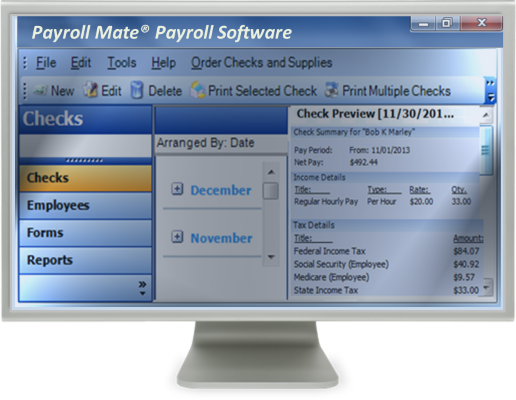
A Windows-only desktop program from Real Business Solutions, pitched at small employers and at the bookkeepers who run payroll for several clients at once. The base price covers ten separate companies, which is unusual at this end of the market, and the feature list goes deep on awkward pay types: piece rate, pay per mile, tips, shift differentials, staff working across multiple job sites. The catch is that the headline figure is a base price, and direct deposit, contractor 1099s, state forms and MICR check printing are each separately priced options on top of it.
ezPaycheck
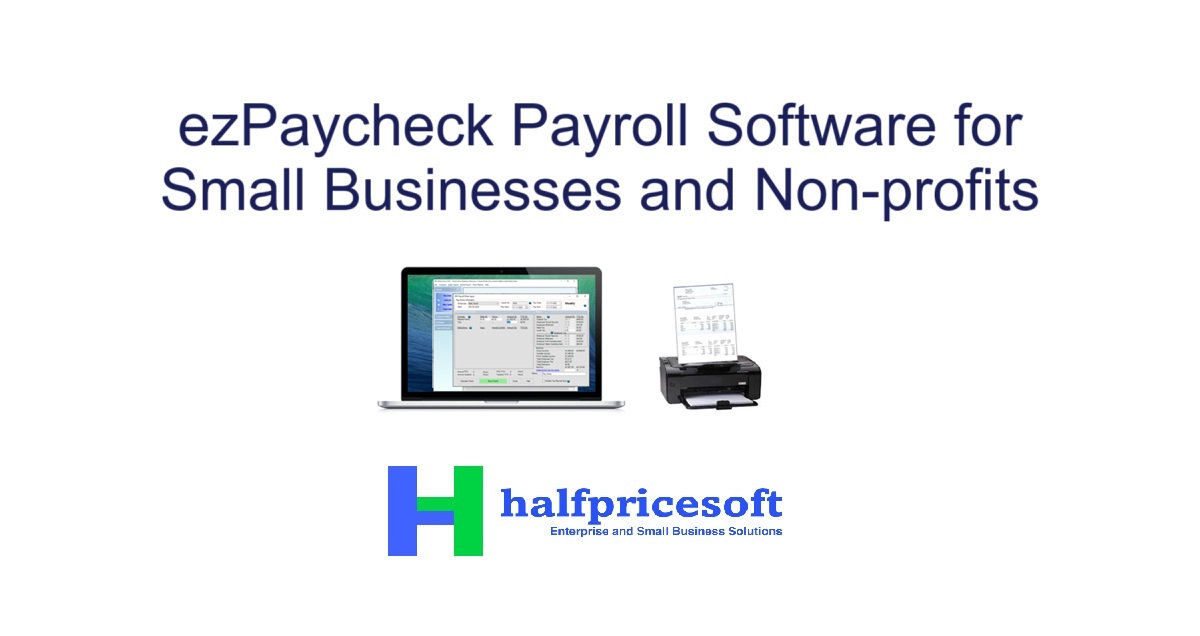
Halfpricesoft has sold ezPaycheck since 2005 and prices it below almost anything with the same feature list. It runs entirely on your own machine with no internet connection required, keeps W-2 staff and 1099 contractors in the same company file, and can e-file the 941 and 940 from inside the app. Direct deposit is the gap: it comes from ezACH, a separate Halfpricesoft purchase, and the licence has to be re-bought each January to keep the tax tables current.
Medlin Payroll
A family-run California outfit that has shipped the same kind of plain, fast Windows payroll program for over forty years, and by a wide margin the cheapest paid option here. Everything runs on your own PC, the federal forms print on plain paper, and the 940, 941 and 944 can be e-filed through NELCO. It is deliberately narrow: the interface looks its age, there is no Mac build, and contractor 1099s live in Medlin's separate accounting program rather than in the payroll one.
Payroll4Free
The genuinely free option, and the one most free-payroll roundups are pointing at. Payroll4Free pays W-2 employees and 1099 contractors, calculates federal, state and local taxes, and does direct deposit at no charge so long as the money moves through your own bank account. Two things bound it: the free tier stops at nine people paid no more than once a month, and the company funds itself by showing ads inside the software while you work. Having them deposit and file your payroll taxes, or move the direct deposit money for you, are the paid extras.
How we researched this
"Without a subscription" is read here as no monthly or per-employee payroll bill: you buy the software, or use a free one, and run payroll yourself. Two products that renew once a year are kept because they meet that test, and the Billing column marks them. Few products fit that reading. PaycheckManager, at $12 a month plus $2 per employee, is exactly what the question excludes; 123PayStubs makes paystubs but files no 941 or W-2; HR.my is free but has no US tax tables; ZPAY PayWindow and Breaktru Payroll have been discontinued; and neither TimeTrex Community Edition nor AMS Payroll publishes a price we could point to. Each vendor appears once, at the edition an agency would buy.
Prices are entry-edition prices for the 2026 calendar year as listed in September 2026, and CheckMark's is its regular price rather than a short promotion running then. PaycheckCity's platform cell is empty because its site never says in words where the product runs. Some add-ons are priced on top of these figures, so check the ones you would actually need before comparing totals.