Free Note-Taking Apps
Nineteen free note-taking apps compared on free-plan limits, free sync, platforms and note style, from Simplenote and Apple Notes to Obsidian and Joplin. Read our take
At a glance
| Option | How It's Free | What the Free Version Includes | Free Sync | Works On | Note Style | Paid Plans Start At | App Store Rating |
|---|---|---|---|---|---|---|---|
| Completely freesource | The whole app, synced through your iCloud accountsource | Syncs on all your devicessource | iPhone & iPad, Mac, Websource | Rich textsource | None, Notes comes free with Apple devicessource | 4.8source | |
| Completely freesource | Every feature, with a Google accountsource | Syncs on all your devicessource | Web, Android, iPhone & iPadsource | Quick notes and listssource | None, Keep is freesource | 4.6source | |
| Free plan with paid upgradessource | The whole app; some premium features need Microsoft 365source | Syncs on all your devicessource | Windows, Mac, Web, iPhone & iPad, Androidsource | Notebook pagessource | Microsoft 365 Personal, from $9.99 in the App Storesource | 4.7source | |
| Free plan with paid upgradessource | Personal use, with file uploads up to 5 MB eachsource | Syncs on all your devicessource | Windows, Mac, Android, iPhone & iPad, Websource | Blocks and pagessource | Plus, $10 per member a monthsource | 4.8source | |
| Free plan with paid upgradessource | Up to 50 notes and 1 notebooksource | Limited devicessource | Windows, Mac, Android, iPhone & iPad, Websource | Rich textsource | Personal, $17.49 a month in the App Storesource | 4.4source | |
| Free plan with paid upgradessource | The whole app with no limits; sync and publishing cost extrasource | Through your own cloud or serversource | Mac, Windows, Linux, iPhone & iPad, Androidsource | Markdownsource | Sync, $4 a month billed yearly or $5 billed monthlysource | 4.5source | |
| Free and open sourcesource | The whole app, synced through Dropbox or OneDrive at no chargesource | Through your own cloud or serversource | Windows, Mac, Linux, Android, iPhone & iPadsource | Markdownsource | Joplin Cloud Basic, 2.99€ a monthsource | 4.1source | |
| Completely freesource | Everything: apps, backups, syncing and sharingsource | Syncs on all your devicessource | iPhone & iPad, Android, Mac, Windows, Linux, Websource | Markdownsource | None, everything is freesource | 4.7source | |
| Free and open sourcesource | Unlimited plain-text notes on unlimited devicessource | Syncs on all your devicessource | Mac, Windows, Linux, iPhone & iPad, Androidsource | Plain textsource | Productivity, $90 a yearsource | 4.7source | |
| Free and open sourcesource | Unlimited notes on unlimited devices, 50MB of attachments a monthsource | Syncs on all your devicessource | Windows, Mac, Linux, Android, iPhone & iPad, Websource | Rich textsource | Essential, $1.99 a month or $19.99 a yearsource | 4.7source | |
| Free and open sourcesource | The whole app, with notes stored on your own devicesource | Windows, Mac, Android, Linux, iPhone & iPadsource | Outlinersource | None yet; Logseq Sync is still listed as coming soonsource | 4.4source | ||
| Free plan with paid upgradessource | 100 MB of synced storage and 10 shared channelssource | Mac, Linux, Windows, iPhone & iPad, Androidsource | Blocks and pagessource | Plus, $4 a monthsource | 4.5source | ||
| Free plan with paid upgradessource | 500MB of cloud storage, files up to 10MB eachsource | Syncs on all your devicessource | iPhone & iPad, Android, Mac, Windows, Websource | Quick notes and listssource | Notebook Pro, from $2.49 in the App Storesource | 4.7source | |
| Free plan with paid upgradessource | Up to 50 notes, synced across devicessource | Syncs on all your devicessource | Mac, Windows, Linux, iPhone & iPad, Androidsource | Rich textsource | Premium, $1.99 a month or $39.99 lifetimesource | 4.7source | |
| Free plan with paid upgradessource | Notes on one device, with scanning and export; no syncsource | No free syncsource | Mac, iPhone & iPadsource | Markdownsource | Pro, $2.99 a month or $29.99 a yearsource | 4.7source | |
| Free and open sourcesource | Unlimited local workspaces, plus 10 GB of cloud storagesource | Limited devicessource | Mac, Windows, Linux, iPhone & iPad, Androidsource | Blocks and pagessource | Pro, $6.75 a month billed yearlysource | 4.3source | |
| Free plan with paid upgradessource | Unlimited notes; media uploads 5 GB, then 100 MB a monthsource | Syncs on all your devicessource | Web, Mac, Windows, Linux, iPhone & iPad, Androidsource | Blocks and pagessource | Pro, $9.99 a monthsource | 4.3source | |
| Free and open sourcesource | Every basic feature, stored on your own devicesource | No free syncsource | Windows, Mac, Linux, Android, iPhone & iPadsource | Blocks and pagessource | PRO features, $64 one-timesource | 3.9source | |
| Free and open sourcesource | Everything, with no paid tiers or accountssource | Through your own cloud or serversource | Windows, Mac, Linuxsource | Rich textsource | None, no paid tierssource |


Our take
If you want one app that is free everywhere with nothing held back, Simplenote is it: apps, backups, syncing and sharing are all free, and it runs on iPhone, Android, Mac, Windows, Linux and the web. If you only use Apple devices, Apple Notes is already installed, syncs through iCloud at no charge, and shares the highest App Store rating here, 4.8, with Notion.
The real split in this table is not the price of the app, since every one of them is free to start, but what happens when you add a second device or a hundredth note. Simplenote, Google Keep, Standard Notes, Notesnook, UpNote and Capacities sync on all your devices for free; Obsidian, Joplin and Trilium Notes leave sync to a cloud drive or server you supply; and Evernote stops at 50 notes on 1 device while UpNote stops at 50 notes.
Our picks
- Free on every device: Simplenote. No paid tier at all, with sync on all your devices across iPhone, Android, Mac, Windows, Linux and the web.
- Best if you only use Apple devices: Apple Notes. Already on iPhone, iPad and Mac, free iCloud sync, and a 4.8 App Store rating.
- Notes as files you own: Obsidian. Free without limits, stores notes as plain Markdown files, and syncs through iCloud, OneDrive or Google Drive at no cost.
- Private notes that sync for free: Notesnook. Open source and end-to-end encrypted, with unlimited notes on unlimited devices on the free plan.
- Open source with free cloud-drive sync: Joplin. Runs on Windows, Mac, Linux, Android and iOS and syncs through Dropbox or OneDrive without a subscription.
Which free plans cap your notes or storage
Most apps here let you write as many notes as you like, and the limits sit elsewhere. Evernote's free plan allows 50 notes and 1 notebook, UpNote's allows 50 notes, and Standard Notes gives unlimited notes but only in plain text. Storage is the other ceiling: Anytype includes 100 MB of synced storage, Zoho Notebook 500MB, Notesnook 50MB of attachments a month, Capacities 5 GB of media and then 100 MB a month, and Notion caps each upload at 5 MB.
If you are moving years of notes out of another app, the apps with no note cap and no storage meter matter most: Simplenote, Obsidian, Joplin, Logseq, SiYuan and Trilium Notes. Apple Notes and Google Keep have no note cap either, but synced notes and attachments count against the free storage of your iCloud or Google account.
Free sync built in or bring your own
Ten apps sync on all your devices for free, including Microsoft OneNote, Notion and Zoho Notebook alongside the ones named above. Two cap the device count: Evernote at 1 device and AFFiNE's free cloud tier at 3 login devices. Obsidian, Joplin and Trilium Notes sync for free only through storage you already have, such as iCloud, Dropbox or OneDrive, or a server you run yourself.
Bear and SiYuan are fully usable on one device but charge for sync: iCloud sync is part of Bear Pro at $2.99 a month, and SiYuan's third-party sync is a $64 one-time purchase.
Check the platforms before you commit
Bear runs only on Mac, iPhone and iPad, and Apple Notes adds just a browser version at iCloud.com, so both are a poor fit if you also carry an Android phone. Google Keep has phone apps and a web app but no desktop download, and Trilium Notes is a desktop app for Windows, Mac and Linux with no phone app, only a mobile web view of a server you host. Simplenote, Notesnook, Zoho Notebook and Capacities cover phones, computers and the web.
The options in detail
Apple Notes
The notes app already on every iPhone, iPad and Mac, with checklists, document scanning, sketches and sharing built in, and syncing through iCloud. Nothing to install or pay for if you live on Apple devices. The catch is the walls: there is no Android or Windows app.
Google Keep
Google's sticky-note app: colored cards for quick notes, checklists, photos and voice memos, with reminders and labels. It runs on the web, Android and iPhone and syncs through your Google account. It is built for jotting, not long documents or deep organization.
Microsoft OneNote
A digital notebook with sections and pages where you can type, draw or drop files anywhere on the page, which suits class notes and pen input. Every version is free to download and syncs through OneDrive. A few premium features need a Microsoft 365 subscription, but the notebook itself costs nothing.
Notion
An all-in-one workspace where every page is built from blocks: text, to-dos, tables and full databases you can link together. The free plan covers one person organizing projects and life. The free plan's main limit is file uploads, capped at 5 MB each, and the paid plans are aimed at teams.
Evernote
The long-running note app for capturing everything: typed notes, checklists, scanned documents, PDFs, recordings and pages clipped from the web. Its free plan has shrunk to a taster: 50 notes, one notebook and a single synced device. Fine for trying it out; anyone with years of notes will hit the cap quickly.
Obsidian
A Markdown editor that keeps every note as a plain text file in a folder on your own device, with links between notes, a graph view and thousands of community plugins. The app itself is free with no limits and no sign-up. Syncing between devices is the paid part, unless you point it at a cloud drive you already use.
Joplin
An open-source notes and to-do app with a Markdown or rich text editor, end-to-end encryption and a web clipper. It syncs for free through Dropbox, OneDrive or your own server, and Joplin Cloud is the optional paid route. PCMag has called it the best open-source note-taking app, though its look is plainer than the polished apps here.
Simplenote
A deliberately bare notes app from Automattic, the company behind WordPress.com, with tags, pins, instant search and optional Markdown. Every feature, including sync on all your devices, is free, and there is no paid tier at all. Don't expect images, attachments or rich formatting.
Standard Notes
A privacy-first notes app built around end-to-end encryption and audited apps, with public source code you can self-host. The free plan gives unlimited notes and unlimited synced devices, but only plain text. Markdown, rich text, checklists and file storage are in the paid plans.
Notesnook
An open-source, end-to-end encrypted notes app that aims to be a private alternative to Evernote, with a proper editor for tables, checklists, code and attachments. The free plan keeps unlimited notes on unlimited devices. File attachments are the squeeze: 50MB a month and 10MB per file.
Logseq
An open-source outliner where every line is a bullet you can link, tag and query, stored as Markdown or Org-mode files on your own device, and it costs nothing. Its own sync service is still listed as coming soon, so most people sync the files themselves.
Anytype
A local-first, encrypted workspace in the style of Notion: block-based pages, databases and templates, with your data kept on your device and synced peer to peer. The free plan includes 100 MB of remote storage and 10 shared channels. Reviewers on the App Store praise the idea but some report sync glitches.
Zoho Notebook
A colorful, ad-free notebook app from Zoho where each note is a card (text, checklists, audio, photos or files) kept inside notebooks. The free version syncs across devices with 500MB of cloud storage. Notebook Pro adds storage, longer notes and larger attachments.
UpNote
A clean, fast notes app with a rich text editor, Markdown support, notebooks and tags that works offline and syncs instantly. The free version syncs on every device but stops at 50 notes. Premium is cheap and is one of the few here with a one-time lifetime price.
Bear
A polished Markdown writing app for Apple devices, praised for its design, with document scanning and export to formats from Markdown to DOCX and ePub. The free version is fully usable on one device. Syncing between your iPhone, iPad and Mac is the Pro feature, and there is no Windows or Android app.
AFFiNE
An open-source, local-first workspace that puts block-based documents and an edgeless whiteboard canvas in one app, with an MIT-licensed editor. Local workspaces are unlimited and free, and the free cloud tier adds 10 GB of storage on up to 3 signed-in devices. Its App Store rating trails the older apps here, from far fewer ratings.
Capacities
A note app organized around objects (people, books, meetings, ideas) instead of folders, with daily notes and links that build a personal knowledge base. The free Basic plan has unlimited content and sync across all devices, and the company promises the core product stays free. Media uploads are where it tightens: 5 GB, then 100 MB a month.
SiYuan
An open-source, local-first knowledge base built on content blocks, with block references, two-way links, databases and flashcards. The core app is free and keeps everything on your device. Syncing between devices needs the one-time PRO purchase or a subscription, and its App Store rating is the lowest here.
Trilium Notes
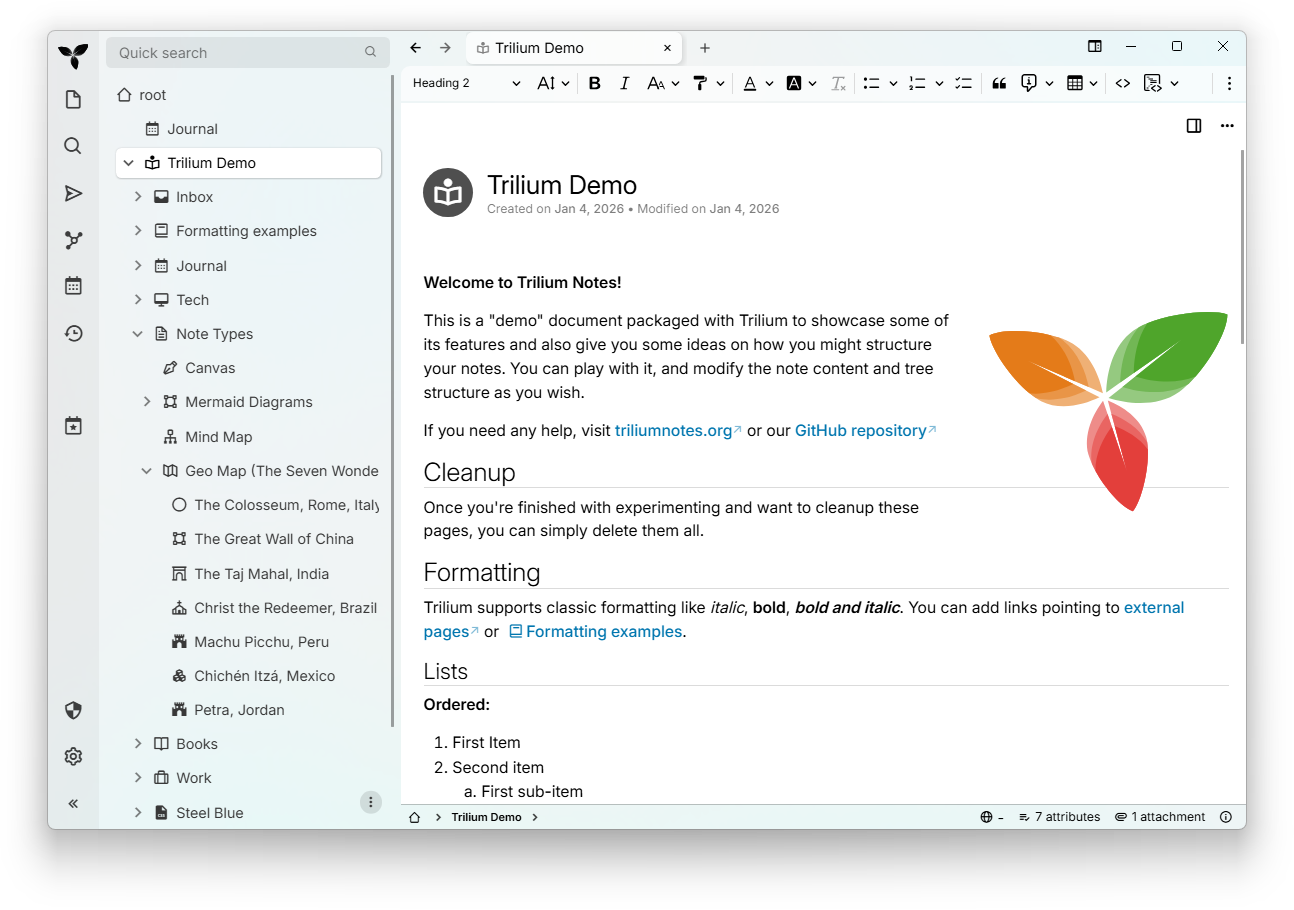
An open-source desktop app for building a large personal knowledge base as a deep tree of notes, with note types from rich text and code to spreadsheets, diagrams and mind maps, plus scripting. Everything is free with no account, and installers cover Windows, macOS and Linux. To use it on more than one device you run your own sync server, and there is no phone app, only a mobile web view of that server.
How we researched this
We read each app's own pricing, plan and product pages and its US App Store listing, and used Wikipedia or the project's GitHub page for platform lists where the vendor's site did not print one. Every value in the table is recorded with the sentence it came from, and App Store ratings were read on November 10, 2026. A blank cell means no source we read stated it: Logseq and Anytype do not state free sync terms plainly, and Trilium Notes has no App Store app to rate.
We chose apps whose free version works as an everyday note app, and left out handwriting-first apps such as Goodnotes and Notability, whose free tiers stop at a handful of notes. Paid prices are shown as each vendor prints them, monthly, yearly, one-time or in euros, so compare them with care and confirm the current offer before you upgrade.