Survey Software for Teams
Fifteen survey tools compared on their cheapest team plan, pricing, seats, responses and billing, from Fillout and Microsoft Forms to SurveyMonkey. Read our take
At a glance
| Option | Cheapest team plan | Team pricing | Users on that plan | Responses on that plan | Billing | Team features | Free plan |
|---|---|---|---|---|---|---|---|
| Team Advantage: $30 per user/month, billed annuallysource | Per usersource | Starting at 3 userssource | 50,000 responses per yearsource | Billed annuallysource | Shared brand assets, user roles and account permissionssource | Basic: 1 user, unlimited surveys, 10 questions per survey, limited responsessource | |
| Plus: 79 USD a month, or 56 USD a month billed yearlysource | Flat price, set number of userssource | 3 userssource | 1,000 responses a monthsource | Monthly or annualsource | Shared Organization and Workspaces for editing forms and seeing resultssource | Basic features with a limited number of responses per monthsource | |
| Team Edition: $83 per user/month, billed annuallysource | Per usersource | 5+ userssource | 100K responses per surveysource | Billed annuallysource | Collaboration and branding on top of surveys, logic, integrations and analysissource | 1 user, 200 responses per surveysource | |
| Business: $79 per month, billed yearly, 3 userssource | Flat price, set number of userssource | 3 userssource | 36,000 responses per yearsource | Quarterly or annualsource | Collaboration, custom branding, and automationsource | 75 responses per quarter, 3 active surveys, 10 questions per surveysource | |
| Team: $29 per user/month, billed annuallysource | Per usersource | A 3-user teamsource | Unlimited (counted as signals, one per answer)source | Billed annuallysource | Shared editing plus a shared themes, survey templates and assets librarysource | Up to 2,500 signals, with Crowdsignal brandingsource | |
| Enterprise: $350 per license a yearsource | Per usersource | 1 or more licenses ($315 each for 2 to 5)source | Unlimited (unlimited even on the free plan)source | Billed annuallysource | Teams: share surveys across multiple accountssource | Unlimited surveys, questions and responsessource | |
| Expert: $36 a month, $432 billed annuallysource | Flat price, set number of userssource | 3 admin userssource | 10,000 responses a yearsource | Billed annuallysource | White-label domain and custom brandingsource | Free cloud plan (its limits are not listed on the pricing page)source | |
| Google Workspace Business Starter: $7 per user/monthsource | Per usersource | 1 or more; add users at any timesource | Monthly or annualsource | Share forms to build and analyze results togethersource | |||
| Pro: $29 a month or $290 a yearsource | Flat price, unlimited userssource | Unlimited team memberssource | Unlimited submissions (fair use)source | Monthly or annualsource | Shared workspaces and folders with team access controlssource | Unlimited forms and submissions within fair usesource | |
| Free plan: unlimited seatssource | Flat price, unlimited userssource | Unlimited seatssource | 1,000 responses a monthsource | Monthly or annualsource | Unlimited seats on every plan, including Starter at $15 a monthsource | Unlimited seats and forms, 1,000 responses a monthsource | |
| Enterprise (the only multiuser plan)source | Price by quotesource | Enhanced security, custom domains, single sign-on (SSO), HIPAA featuressource | Starter plan with all standard features, Jotform brandingsource | ||||
| Experience Suite: annual license, quoted (Community Edition is free to self-host)source | Price by quotesource | Unlimited seatssource | Priced by the responses you collect each yearsource | Annual contract by quotesource | Single sign-on, roles and audit logssource | Community Edition: free forever, self-hosted (AGPLv3)source | |
| XM platform: price on request onlysource | Price by quotesource | Unlimited userssource | Priced by survey responses and other interactionssource | AI-guided surveys and dashboards shared across all your teamssource | Free account: 500 responses, 3 active surveys, 30 questions per surveysource | ||
| Microsoft 365 Business Basic: $7.00 per user/month, paid yearlysource | Per usersource | 1 to 300 userssource | Up to 5,000,000 responses per formsource | Billed annuallysource | Group forms shared by the whole team, up to 400 per teamsource | Free personal Microsoft account: up to 200 responses per formsource | |
| Enterprise: US$75 a month, billed annuallysource | Flat price, set number of userssource | 3 userssource | Per survey: 7,000 monthly, unlimited annuallysource | Monthly or annualsource | Admin control of user access levels, permissions and rolessource | 10 questions and 100 responses per surveysource |








Our take
If the budget decides it, Fillout lets a whole team work in one account for free, with unlimited seats and 1,000 responses a month, and Tally Pro covers unlimited team members for $29 a month. If your team already pays for Microsoft 365, Microsoft Forms comes with the $7.00 per user Business Basic plan and takes up to 5,000,000 responses per form. If the team wants a full survey platform with roles and permissions, SurveyMonkey's Team Advantage is $30 per user per month, billed annually, starting at 3 users.
The real split in this table is how the team plan is charged. Six tools here (SurveyMonkey, QuestionPro, Crowdsignal, SurveyPlanet, Microsoft Forms through Microsoft 365 and Google Forms through Google Workspace) charge per user, so the bill grows with every person you add. Typeform, SurveySparrow, LimeSurvey and Zoho Survey charge one price for a fixed number of seats, usually 3, and Tally and Fillout charge one price no matter how many people join. Jotform, Formbricks and Qualtrics only price their team options through sales.
Our picks
- Free for the whole team: Fillout. Unlimited seats on the free plan, with 1,000 responses a month.
- Flat price as the team grows: Tally. Pro is $29 a month or $290 a year with unlimited team members and unlimited submissions within fair use.
- Teams already on Microsoft 365: Microsoft Forms. Included in Business Basic at $7.00 per user a month, with up to 5,000,000 responses per form.
- Best-known full survey platform: SurveyMonkey. Team Advantage adds shared brand assets and user roles at $30 per user per month, with 50,000 responses a year.
- Self-hosted with unlimited seats: Formbricks. The Community Edition is free forever under AGPLv3, and every paid license includes unlimited seats.
Per-user pricing versus one price for the team
Per-user plans look cheap on the card and add up quickly. Three people on SurveyMonkey's Team Advantage at $30 each per month already cost more than Tally Pro's $29 a month for everyone, and QuestionPro's Team Edition starts at 5 users at $83 each. Microsoft Forms and Google Forms are the exception: at $7.00 per user a month, Microsoft 365 Business Basic and Google Workspace Business Starter are bought for email and documents, and the survey tool comes along with them. SurveyPlanet softens per-user pricing with bulk discounts: its Enterprise license is $350 a year for one user and $315 each for 2 to 5.
Flat-price plans with a seat count sit in between. Typeform Plus includes 3 users for 79 USD a month (56 USD a month billed yearly), SurveySparrow Business includes 3 for $79 a month billed yearly, LimeSurvey Expert includes 3 admin users for $432 billed annually, and Zoho Survey only adds users on its Enterprise plan, which covers 3 for US$75 a month billed annually. If your team is likely to grow past the included seats, check what the next tier or an extra seat costs before you commit.
Check the response limit and its unit
Response allowances are counted in different units, so they do not compare directly. SurveyMonkey counts 50,000 per year, SurveySparrow Business 36,000 per year, Typeform Plus 1,000 per month, LimeSurvey Expert 10,000 per year, QuestionPro's Team Edition 100K per survey and Microsoft Forms up to 5,000,000 per form. Crowdsignal counts signals (one per answered question) and lifts the cap entirely on paid plans, while SurveyPlanet does not cap responses at all and Tally caps them only by fair use.
Free plans vary even more. SurveyMonkey's Basic plan allows 10 questions per survey and does not publish its response limit, SurveySparrow's free plan lists 75 responses per quarter, Zoho Survey's allows 10 questions and 100 responses per survey, a free personal Microsoft account takes up to 200 responses per form, Qualtrics' free account stops at 500 responses, and Crowdsignal's free plan stops at 2,500 signals.
Where a team plan means talking to sales
Jotform's FAQ says Enterprise is its only multiuser plan, so its Bronze, Silver and Gold plans are one login each, and Enterprise pricing is custom. Formbricks publishes no price list for its Experience Suite and quotes an annual license on responses and workspaces rather than seats. Qualtrics includes an unlimited number of users and prices on interactions such as survey responses and minutes of video feedback, but every paid plan starts with a pricing request. All three suit a larger organization, but none can be bought by a small team in an afternoon.
The options in detail
SurveyMonkey
The best-known name in online surveys, with team plans built around shared templates, logos and themes so everyone's surveys look like they came from one company. Team Advantage adds user roles and account permissions, and its analysis tools (statistical significance, multi-survey analysis) are deeper than most tools here. The catch is cost: team plans are sold per user, billed annually, with a three-user minimum, and the free Basic plan caps each survey at 10 questions.
Typeform
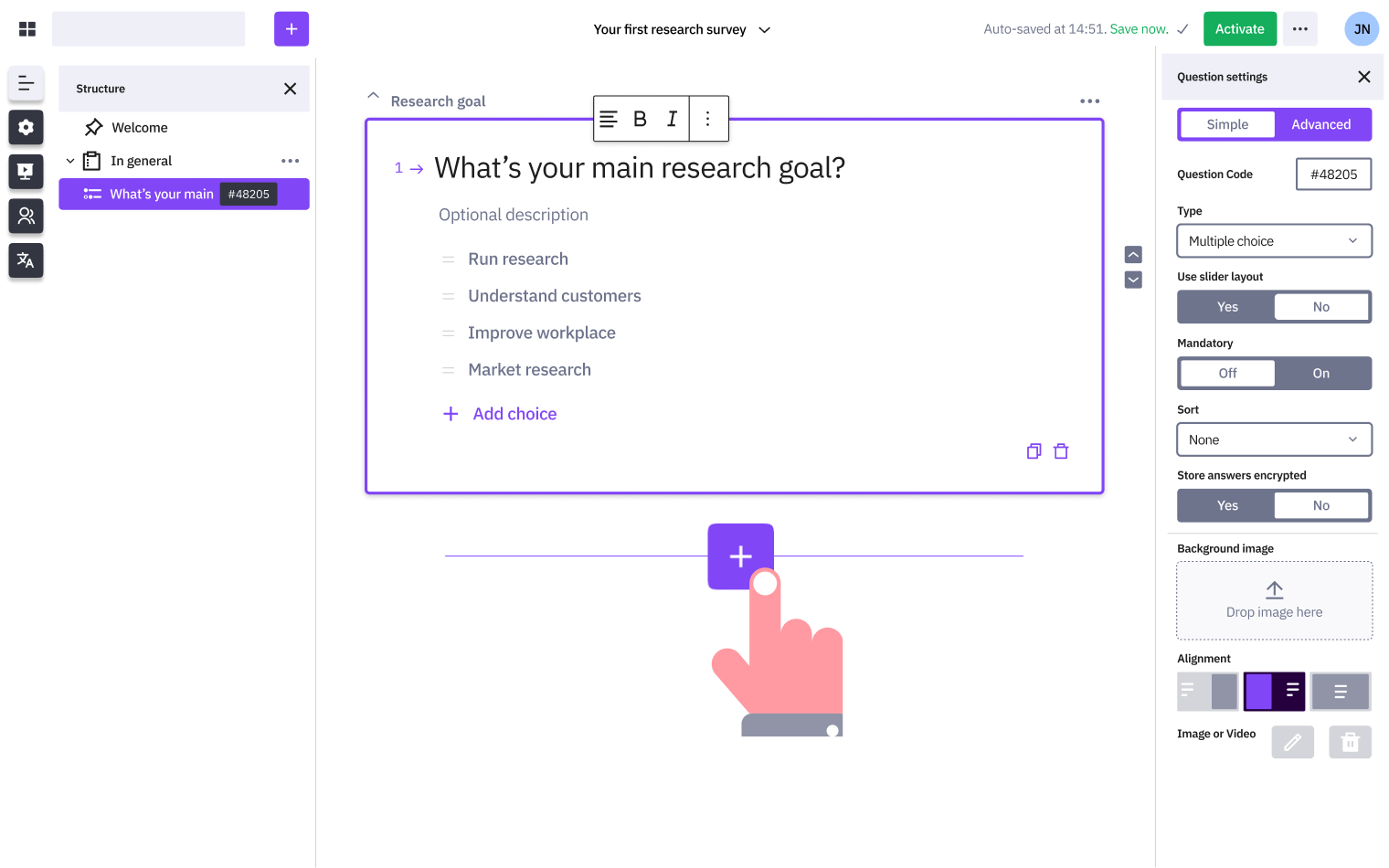
Typeform shows one question at a time, which makes surveys feel more like a conversation and is the main reason people pick it over a grid-style survey tool. Its plans are priced per account rather than per person, with a set number of seats: Plus is the first plan with more than one user. On Enterprise, Typeform also offers viewer seats for people who only need to see or share results, not edit forms. Responses are capped per month on every plan, and the free plan's cap is small.
QuestionPro
QuestionPro is a research-grade survey platform with a large set of question types and analysis tools, and it sells a dedicated Team Edition for groups. Oddly, the Team Edition costs less per user than the single-user Advanced plan, but it starts at five users and is bought through sales rather than a checkout. A generous free plan (200 responses per survey) makes it easy to try before a team commits.
SurveySparrow
SurveySparrow pitches chat-style surveys alongside customer-experience tools for NPS, CSAT and CES, and its Business plan is the one aimed at teams. That plan includes three users and a large response allowance, and more users can be added at a per-user price. The free plan is tight, and the page itself is inconsistent about it: the plan card says 75 responses per quarter while the FAQ describes 50 a month.
Crowdsignal
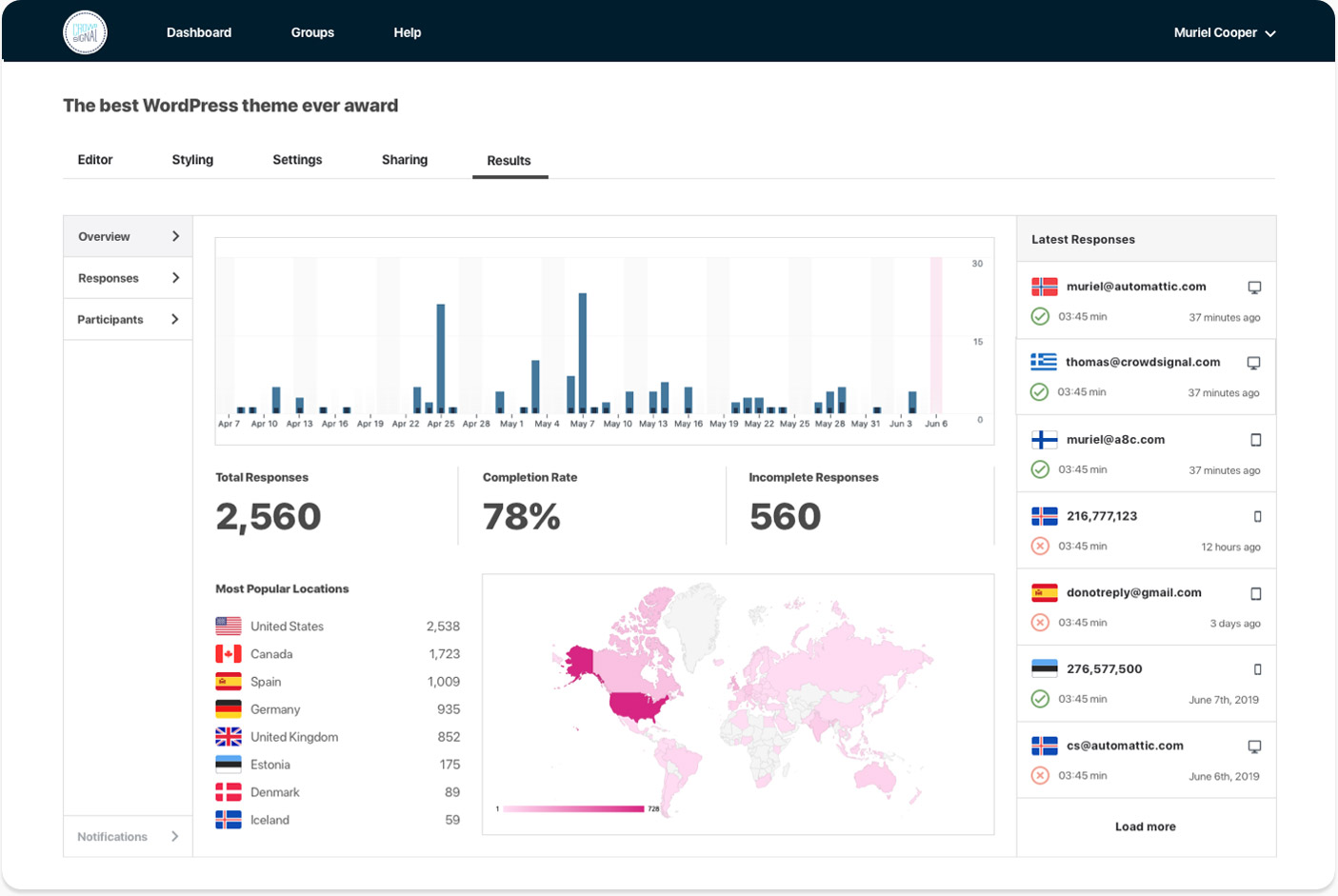
Crowdsignal, from Automattic (the company behind WordPress.com), handles surveys, polls, quizzes and ratings in one place. Its Team plan is one of the cheaper per-user team options here and includes everything in the Business plan, with shared themes, templates and assets and team members who can analyze and export results. Every paid plan collects unlimited answers; the free plan stops at 2,500 and keeps Crowdsignal branding.
SurveyPlanet
SurveyPlanet is a plain, inexpensive survey builder whose free plan has no caps on surveys, questions or responses, which is rare. Sharing across accounts (its Teams feature) sits in the Enterprise plan, sold per license per year, with bulk discounts that reach 50% at 26 or more users. The interface and question types are simpler than the research platforms here, so it suits teams running straightforward surveys rather than complex studies.
LimeSurvey
LimeSurvey is an open-source survey tool popular with universities and research institutions, available as a hosted cloud service or as a free Community Edition you run on your own server. On the cloud, the Expert plan is the first with more than one admin user and is priced per account rather than per person. The company is based in Hamburg, and cloud customers choose where their data is stored (Germany, Finland, the UK, the USA, Canada or Australia), which matters to teams with data-residency rules. The editor is more technical than the form-style tools here.
Google Forms
Google Forms is the default for teams already on Google Workspace: forms are shared like any Doc, results flow into Sheets, and logic and quizzes are built in. For a business it comes with a Workspace subscription priced per user, which also buys email, Drive and Meet. It is simple rather than powerful, with fewer question types, themes and analysis tools than dedicated survey software.
Tally
Tally is a lightweight form builder whose free plan has no caps on forms or submissions within fair use, which makes it the cheapest way to start. Inviting teammates is a Pro feature, but Pro is one flat price for the whole workspace with unlimited team members, so the cost does not grow with the team. It is a form tool first, so survey-specific analysis is lighter than the research platforms.
Fillout
Fillout is a form and survey builder that never charges per seat: every plan, including the free one, has unlimited seats, so a whole team can work in one account at no cost. Paid plans are priced by monthly responses and add features like removing branding and custom domains. It now sits under a company called Zite, and like the other form builders here it is lighter on research-style analysis.
Jotform
Jotform is one of the largest form builders, with thousands of templates, payment fields and HIPAA options, and many teams use it for surveys too. For teams, the important detail is that Enterprise is its only plan with multiple users, so the Bronze, Silver and Gold plans are one login each and a shared account means talking to sales. The free Starter plan includes the standard features with Jotform branding.
Formbricks
Formbricks is an open-source survey and experience-management platform, and its pricing page leads with a manufacturer that replaced Qualtrics with it. Its Community Edition is free to run on your own servers, and the paid Experience Suite is an annual license quoted on responses and workspaces, never on seats, so everyone who needs the feedback can see it. It needs someone technical to self-host, and there is no public price list for the paid tiers.
Qualtrics
Qualtrics is the enterprise standard for experience management, with separate suites for customer experience, employee experience and market research built on one platform. Instead of charging per seat, it includes every user and prices on usage such as survey responses and minutes of video feedback, so a large organization can give the whole company access. The catch is that there is no public price list: every paid plan starts with a sales call. A small free account exists for trying it out, and many universities already hold a full license for students and staff.
Microsoft Forms
Microsoft Forms is the survey and quiz tool built into Microsoft 365, so a team already on Outlook and Teams pays nothing extra for it: even the entry Business Basic plan includes Forms alongside business email, Teams and the web versions of Word and Excel. Teams can build group forms that everyone on the team shares, and business accounts can collect up to 5 million responses per form. It is deliberately simple. Microsoft itself points people who want more advanced branding, question types and analysis to Dynamics 365 Customer Voice, and summary charts stop working once a form passes 50,000 responses.
Zoho Survey
Zoho Survey comes from Zoho's large family of business apps, and its plans are inexpensive for one person. The catch for a team is that every plan below Enterprise is a single login: only Enterprise adds more users (three), together with user roles and permissions, departments for separate teams, single sign-on and audit logs. The free plan caps each survey at 10 questions, students get the Plus plan free, and educators and qualifying non-profits get discounts.
How we researched this
We read each vendor's own pricing page, and for Tally its help center page on the Pro plan, for Qualtrics its free account page and for Microsoft Forms its support page on form and response limits, and recorded every value with the sentence it came from. Some pricing tables, such as SurveySparrow's and Zoho Survey's, only show their figures once the page loads in a browser, so we read those pages that way. For each tool we picked the cheapest plan that lets more than one person share an account, which is not always the cheapest paid plan. Where a page did not state a detail, such as Google Forms' response limit, Jotform's seat count or Qualtrics' billing terms, the cell is blank rather than estimated.
We left out Alchemer, whose pricing page refused every request, and SurveyLegend, where every plan lists 1 user. Prices and plan limits change often, so confirm the current offer on the vendor's page before you buy.