Best Survey Tools
16 survey tools compared on free responses, free-plan limits, cheapest paid plan and branching logic, from Google Forms and Tally to SurveyMonkey and Qualtrics. Read our take
At a glance
| Option | Kind of tool | Free plan responses | What's free | Cheapest paid plan | Branching logic |
|---|---|---|---|---|---|
| Survey platformsource | Free, no published limitsource | Unlimited surveys with 10 questions each; the response limit is shown only after sign-upsource | $39 a month for Advantage, billed annually ($468 a year); the monthly Standard plan is $149 a monthsource | Paid plans onlysource | |
| Office suite appsource | Free, no published limitsource | The whole tool, as part of Google's free Docs editors; Google publishes no response ceilingsource | $7 per user a month for Google Workspace Business Starter on a 1-year commitment (16% less than flexible billing), which includes Forms along with business ema…source | Included on the free plansource | |
| Office suite appsource | 100 to 999source | 200 responses per form on a free personal Microsoft accountsource | $7.00 per user a month for Microsoft 365 Business Basic, paid yearlysource | Included on the free plansource | |
| Form buildersource | Under 100source | Unlimited forms, but only 10 responses a month across all of themsource | $39 a month for Basic billed monthly, or $28 a month billed yearly (a saving of $132 a year)source | Included on the free plansource | |
| Form buildersource | 100 to 999source | 5 forms and 100 submissions a month, with every feature includedsource | $34 a month for Bronze billed annually, or $39 billed monthlysource | Included on the free plansource | |
| Experience managementsource | 100 to 999source | 500 responses per survey, 3 active surveys of up to 30 questions, 8 question typessource | $420 a month for Strategic Research ($5,040 a year)source | Included on the free plansource | |
| Survey platformsource | 100 to 999source | 200 responses per survey and 30 question types for 1 user, with logicsource | $99 per user a month for Advanced, billed annuallysource | Included on the free plansource | |
| Customer feedback platformsource | Under 100source | 75 responses a quarter, 3 active surveys, 10 questions eachsource | $19 a month for Basic, billed yearly, with 2,500 responses a yearsource | ||
| Survey platformsource | 100 to 999source | Unlimited surveys of up to 10 questions, 100 responses per surveysource | US$7.42 a month for Basic, billed annuallysource | ||
| Form buildersource | Unlimited responsessource | Unlimited forms and submissions within fair-use guidelines, including payments and file uploadssource | Pro, $29 a month billed monthly; paying yearly takes 2 months off (about $24 a month)source | Included on the free plansource | |
| Form buildersource | 1,000 or moresource | Unlimited forms and seats, 1,000 responses a monthsource | $15 a month for Starter, billed annually ($180 a year)source | Included on the free plansource | |
| Open sourcesource | Under 100source | 25 responses a month on the hosted free plan, with every question type and logic; self-hosting is freesource | $39 a month for Basic, billed monthly, with 1,000 responses a monthsource | Included on the free plansource | |
| Polls and quick surveyssource | 1,000 or moresource | Unlimited surveys, polls and questions, up to 2,500 responses, with Crowdsignal brandingsource | $15 a month for Premium, billed annually, or $25 monthlysource | Paid plans onlysource | |
| Survey platformsource | Unlimited responsessource | Unlimited surveys, questions and responsessource | $20 a month for Pro, or $180 a yearsource | Paid plans onlysource | |
| Survey platformsource | 1,000 or moresource | 3 surveys with 1,000 responses each, but no response exportssource | $15 a month for Pro billed annually ($170 a year), or $19 monthlysource | Included on the free plansource | |
| Customer feedback platformsource | Free trial onlysource | A 10-day trial of every feature with up to 25 responses; no free plansource | $56 a month for Growth, billed annually, with 100 responses a monthsource |








Our take
If you want to pay nothing and never count responses, Tally and SurveyPlanet are the two tools here with unlimited responses on a free account, and Tally also includes conditional logic for free. If you need a recognised research platform, SurveyMonkey and Qualtrics are the names most people know, but SurveyMonkey's free Basic plan does not publish its response limit and Qualtrics' one listed paid plan is $420 a month.
The real split in this table is how far the free plan goes. Fillout, Crowdsignal and SurveyLegend give 1,000 or more free responses, while Typeform, SurveySparrow and LimeSurvey's hosted plan allow fewer than 100. The second split is branching: Google Forms, Microsoft Forms, Typeform and Jotform include it free, while SurveyMonkey, SurveyPlanet and Crowdsignal keep it for paying customers.
Our picks
- Best free plan overall: Tally. Unlimited forms and submissions within fair-use guidelines, with conditional logic included on the free plan.
- Best for a whole team on a budget: Fillout. 1,000 free responses a month with unlimited seats, and Starter is $15 a month billed annually.
- Best for serious research: Qualtrics. Free account with 500 responses per survey and branch logic, and a Strategic Research plan at $420 a month when you need more.
- Best if you already use Microsoft 365: Microsoft Forms. Branching is included free, a free personal account takes 200 responses per form, and Business Basic is $7.00 per user a month.
- Best for quick polls on a website: Crowdsignal. Up to 2,500 free responses across unlimited polls and surveys, with Premium at $15 a month billed annually.
Free survey tools that do not cap responses
Only Tally and SurveyPlanet promise unlimited responses on a free account, but they differ on what you can do with them. Tally includes conditional logic, payments and file uploads for free, while SurveyPlanet keeps question branching and result exports for its Pro plan at $20 a month or $180 a year.
Google Forms has no published ceiling either, and it is free with any Google account. SurveyMonkey's Basic plan is the opposite case: the pricing page says you must sign up or log in to see the exact response amount, so treat it as a trial of the tool rather than a plan to run a live survey on.
How response limits are counted
Response limits are not counted the same way, which is why What's free spells each one out. Microsoft Forms caps a free personal account at 200 responses per form, QuestionPro at 200 per survey and Zoho Survey at 100 per survey, so several small surveys each get their own allowance. Typeform's 10 a month and LimeSurvey's 25 a month are shared across everything you run, and SurveySparrow counts 75 a quarter.
SurveyLegend shows why the response count is not the whole story: its free Starter plan collects 1,000 responses per survey but exports none of them, so the data stays inside the app.
When the paid plan is the real price
Paid prices are not comparable row to row, because some are per user, some per account and some depend on billing yearly. SurveyMonkey's Advantage is $39 a month only when billed annually ($468 a year), while its one monthly plan, Standard, is $149 a month. QuestionPro's Advanced plan is $99 per user a month, and Survicate has no free plan at all, starting at $56 a month billed annually. Billing yearly matters at the form builders too: Typeform's Basic drops from $39 to $28 a month, and Tally's Pro from $29 to about $24.
At the low end, Zoho Survey's Basic is US$7.42 a month billed annually, Fillout's Starter and Crowdsignal's Premium are both $15 a month billed annually, and SurveySparrow's Basic is $19 a month billed yearly. Google Forms and Microsoft Forms only cost money as part of a business office suite, at $7 per user a month on a yearly commitment.
The options in detail
SurveyMonkey
The best-known name in survey software, with the largest template library and the option to buy respondents from its own Audience panel when you have no list of your own. The free Basic plan allows unlimited surveys of 10 questions each, but SurveyMonkey does not publish how many responses you can see until you sign up. Prices swing hard on billing period: the annual Advantage plan is the sensible entry point, while the only monthly plan costs several times as much. Reviewers praise the analysis tools and find the interface more dated than the newer form builders.
Google Forms
Free with any Google account, and the tool most people reach for first when they need answers quickly. It covers the basics properly: as many forms as you like, sections that branch on an answer, and results that land in a Google Sheet. What it lacks is survey-specific depth: little design control, no panel of respondents to buy, and no built-in NPS or satisfaction reporting. Paying only comes into it if you want Google Workspace for business email and admin controls, which is a different purchase that happens to include Forms.
Microsoft Forms
The default if you already live in Microsoft 365: free with a personal Microsoft account, bundled into the business plans, and simple enough to build a form in minutes. The ceiling is the catch, because a free account's form stops at 200 responses, and that is a cap per form rather than a monthly allowance. Branching, quizzes with automatic marking and results in Excel are built in, which is why schools use it heavily. For anything more advanced, Microsoft points you to its separate Dynamics 365 Customer Voice product.
Typeform
Typeform shows one question at a time, and that format is the reason people use it: respondents tend to finish a Typeform when they would abandon a long page of fields. The free plan is real but tiny, 10 responses a month across every form you own, so a live survey pushes you onto Basic almost straight away. Logic is included even on the free plan, so you can build a properly conditional survey before paying. It is the right pick when presentation matters more than volume, and an expensive one when you need thousands of responses.
Jotform
Jotform is a form builder that runs surveys well rather than a survey platform proper, and its free Starter plan is unusual in holding back no features: you get everything, capped at 5 forms and 100 submissions a month. Paid plans are priced by volume rather than by seat. It is strongest where a survey shades into operations, such as taking payments, collecting files or getting documents signed, and its template library is one of the largest anywhere. Reporting is simpler than the research platforms offer, so it suits people who want answers in a spreadsheet more than a dashboard.
Qualtrics
The enterprise standard for experience management, used by large companies and universities for research where method matters: quota management, response weighting, statistical and text analysis are part of the paid product. The free account is a genuine, non-expiring way to try the survey builder, limited to 3 active surveys and 500 responses per survey. The step up is steep, since the one published paid plan costs hundreds of dollars a month and larger programs are quoted by sales. Choose it when the research itself is the job, not for a quick feedback form.
QuestionPro
A research-grade survey platform with academic and market-research roots, and its free Essentials tier is more capable than most: 200 responses per survey, 30 question types and logic, with no expiry. The problem is the size of the next step, because the first paid plan is charged per user and costs far more than the form builders. That makes it a fine choice if the free tier covers you, or if you genuinely need advanced question types, panels and statistical analysis. Its reporting is stronger than its design.
SurveySparrow
SurveySparrow builds chat-style surveys and wraps them in a customer-experience suite for NPS, satisfaction and effort scores, so it suits a business collecting feedback continuously rather than sending one questionnaire a year. Its follow-up questions probe vague answers, which is its main pitch against cheaper builders. The forever-free plan is small, at 75 responses a quarter across 3 active surveys of 10 questions. Check the free limit before relying on it: the pricing page's plan card says 75 responses a quarter, while its FAQ says 50 a month.
Zoho Survey
Zoho Survey is a full survey tool from the Zoho business suite, and the obvious pick if you already use Zoho CRM, Desk or Campaigns, since responses flow into them without extra work. Its free plan counts limits per survey rather than per account: unlimited surveys of up to 10 questions, each with 100 responses. Its feature table leaves skip logic off the free plan, and Basic, the cheapest paid plan, is sold only with yearly billing. The usual Zoho pattern applies: low prices, a dense interface, and features spread across a long ladder of plans.
Tally
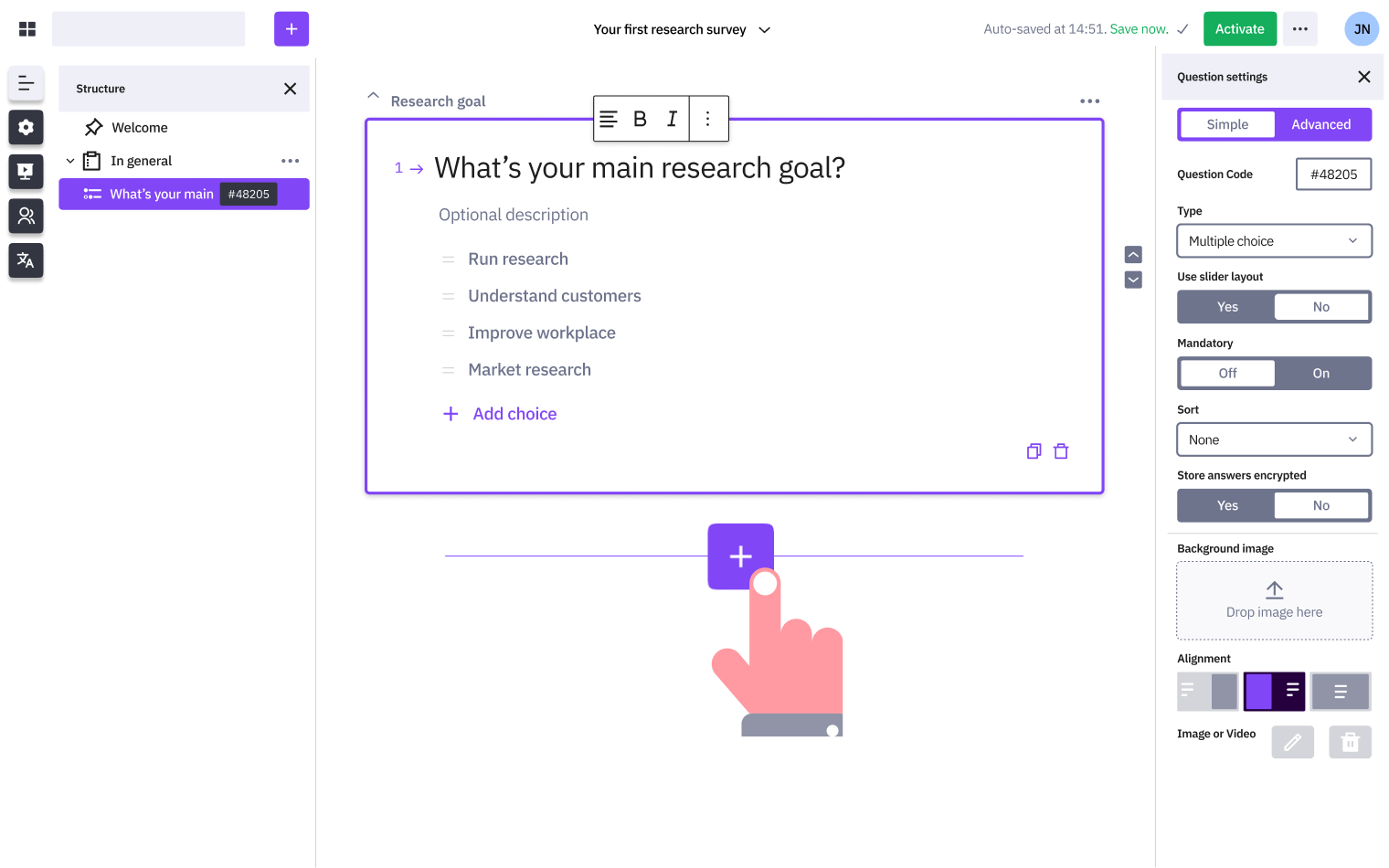
Tally's argument is that the free tier is the product rather than a demo: unlimited forms and unlimited submissions within fair-use rules, with conditional logic, file uploads, signatures and payments included. You type questions as if writing a document, which makes it one of the fastest builders to learn. Paying buys branding removal, custom domains, partial submissions and team workspaces, not a higher response allowance. Its analysis is basic, so it suits people who send results to a spreadsheet or Notion rather than reading reports.
Fillout
Fillout charges for responses rather than people: every plan, the free one included, has unlimited seats, and you move up a tier when monthly volume grows. The free plan is generous at 1,000 responses a month with conditional logic, payments and file uploads. One subscription also covers scheduling, PDF generation and workflows, with many native integrations for pushing answers into the tools you already use. It is a strong choice for a large group with modest volume, since headcount never changes the bill.
LimeSurvey
The open-source veteran of this list and still a default in universities and research teams, with dozens of question types, branching and translations built in. You can run the free Community Edition on your own PHP hosting, or pay for LimeSurvey Cloud, whose free plan has the full feature set but only 25 responses a month. The hosted entry plan is among the pricier starting points here. Expect a dated editor next to the newer builders, in exchange for control over where your data lives.
Crowdsignal
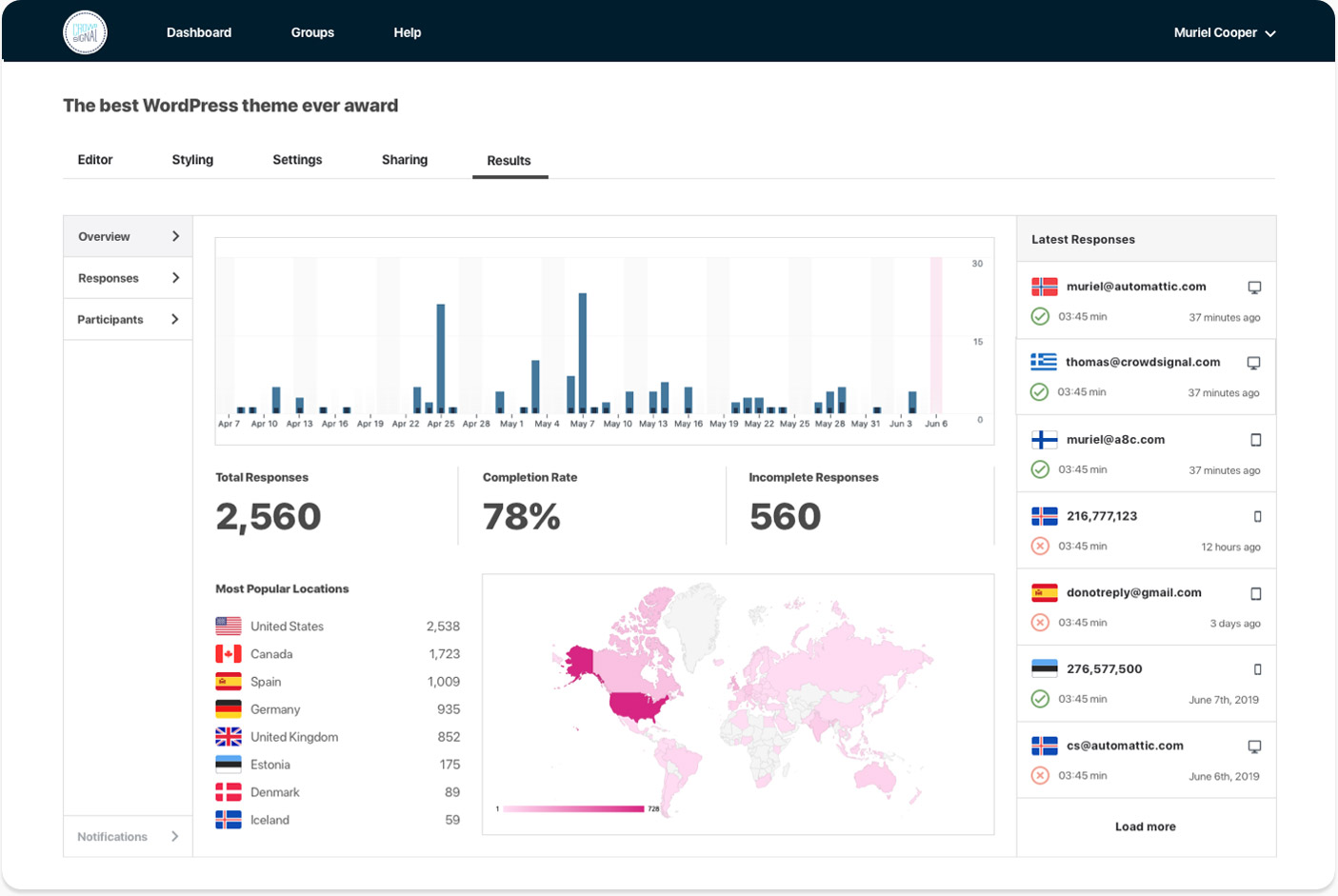
Automattic's polling and survey tool, and the natural choice if your site runs on WordPress, where its polls and ratings embed straight into posts. The free plan is generous for casual use: unlimited surveys, polls and questions with up to 2,500 responses, at the cost of Crowdsignal branding and limited data export. Branching logic and unlimited responses come with Premium. Analysis is basic, so treat it as a way to ask quick questions of an audience rather than to run a research program.
SurveyPlanet
The outlier on volume: a free account gets unlimited surveys, unlimited questions and unlimited responses, with no monthly cap to plan around. The trade is that most of what makes results useful afterwards sits behind Pro, including exports, question branching and custom themes. That makes it a strong pick for lots of simple feedback read inside the app, and a poor one if you need the raw data in a spreadsheet. Its pricing has stayed simple, with one paid tier for individuals.
SurveyLegend
A small, design-led survey maker built around image-heavy, mobile-friendly questionnaires. Its free Starter plan is generous about collecting, with 3 surveys of 1,000 responses each and one logic flow per survey, and strict about getting data out: Starter exports zero responses, so results stay in the app. Pro raises the export allowance and the number of logic flows. Check the export line before committing, because it is the limit that catches people out.
Survicate
Survicate is a customer-feedback platform for product and CX teams, built to run surveys across email, websites, in-app prompts and mobile apps and to pull themes out of the answers. There is no free plan, only a 10-day trial of every feature with a small response allowance, and the first paid plan is priced for a business rather than an individual. It earns its place when feedback from inside your product or site is the job; for a one-off questionnaire it is the wrong shape and the wrong price.
How we researched this
We read each vendor's own pricing page, free-plan help article and product page, plus Wikipedia for Google Forms, and recorded every value with the sentence it came from. Free-plan bands follow the vendor's stated number in its own unit; the What's free column keeps that wording. A blank cell means the vendor's pages did not state it: SurveySparrow, Zoho Survey and Survicate do not say plainly whether branching is on their free or trial plan.
The set covers the general survey platforms, the form builders most people also use for surveys, the free office-suite apps, an open-source option and two customer-feedback platforms. Alchemer and Formbricks were left out because neither publishes prices on its pricing page. Plans and limits change often, so confirm the current offer on the vendor's pricing page before you buy.