Best Accounting Software That Integrates With QuickBooks
QuickBooks is already the ledger, so the right add-on depends on which job it is leaving you to do by hand. For company spending, Ramp is the strongest pick here: its core plan is free, it scores 4.9 on Capterra, and card transactions land in QuickBooks Online already coded. For paying bills, BILL is the deepest tool, with approval chains and a two-way sync, at $49 per user a month.
Beyond the job, two things split these thirteen. The first is which QuickBooks you run: only five name the Desktop editions in the table, and seven others connect to QuickBooks Online alone. The second is how the price grows. BILL, Expensify, Dext and Method charge per user, A2X per sales channel and Patriot per worker paid, so the Starting Price column is a floor, not a monthly bill.
Our picks
- Company cards and expenses at no cost: Ramp. A $0 core plan rated 4.9, with receipts and approvals syncing into QuickBooks Online, as long as your spend moves onto its cards.
- Cheapest way to stop writing checks: Melio. The free Go plan covers a handful of ACH payments and syncs a month, and paid plans start at $25.
- Budget payroll on Online or Desktop: Patriot Payroll. $17 a month plus $4 per worker paid, rated 4.8 across 3,965 Capterra reviews, with both QuickBooks editions supported.
- Reconciling Amazon and Shopify payouts: A2X. Splits lump-sum marketplace deposits into sales, fees, refunds and tax lines from $29 a month, rated 4.9.
- Sales tax filed in several states: Avalara. Calculates rates, tracks nexus thresholds and files returns inside QuickBooks Online and Desktop, from $69 a month.
At a glance
| Option | Starting Price | What It Does | QuickBooks Sync | Free Option | User Rating |
|---|---|---|---|---|---|
| $49source | Bill pay & APsource | QuickBooks Online and Desktopsource | Free trialsource | ||
| $25source | Bill pay & APsource | QuickBooks Online and Desktopsource | Free plansource | 4.2source | |
| Freesource | Expense managementsource | QuickBooks Onlinesource | Free plansource | 4.9source | |
| $5source | Expense managementsource | Free trialsource | 4.5source | ||
| $31.5source | Expense managementsource | QuickBooks Onlinesource | Free trialsource | 4.3source | |
| $17source | Payrollsource | QuickBooks Online and Desktopsource | Free trialsource | 4.8source | |
| $50source | Reporting & forecastingsource | QuickBooks Onlinesource | Free trialsource | 4.8source | |
| $20source | Reporting & forecastingsource | QuickBooks Onlinesource | No free trialsource | 4.5source | |
| $29source | Ecommerce accountingsource | QuickBooks Onlinesource | Free trialsource | 4.9source | |
| $52source | Ecommerce accountingsource | QuickBooks Onlinesource | Free trialsource | 4.7source | |
| $69source | Sales taxsource | QuickBooks Online and Desktopsource | No free trialsource | 4source | |
| $186source | Inventorysource | QuickBooks Onlinesource | Free trialsource | 4.6source | |
| $35source | CRM & invoicingsource | QuickBooks Online and Desktopsource | Free trialsource | 4.2source |






QuickBooks Online or Desktop: which apps still connect
If your books are in QuickBooks Pro, Premier or Enterprise, five apps list Desktop support in the table: BILL, Melio, Patriot Payroll, Avalara and Method CRM. Every other app with a value in that column, Ramp, Dext, Fathom, LivePlan, A2X, Synder and inFlow, connects to QuickBooks Online only.
Two of the five come with fine print. Melio's Desktop sync sits on its Boost plan at $55 a month, not the $25 Core plan in the price column. BILL's own page names Pro and Premier rather than the word Desktop, though those are the Desktop editions. Expensify's cell is empty for a different reason: it supports Online on its Collect plan and Desktop on Control, but no single page of its own says both.
What the starting price leaves out
Per-seat pricing changes the order fast. BILL's $49 is per user, so a four-person approval chain runs $196 a month, while Expensify's $5 is the lowest per-seat price in the table. Dext ($31.50) and Method CRM ($35) also bill per user, and Dext adds monthly document limits on top.
Several prices carry a condition. Synder's $52 is the annual-billing rate, and its Basic plan is $65 billed monthly. Patriot's $17 is before the $4 per worker. Fathom's $50 is a US figure taken from its Capterra listing, because Fathom's own page quotes Australian dollars. Method's $35 is list price, not the three-month promotional $27. At the top, inFlow Inventory starts at $186, the most expensive entry point by a wide margin.
Ratings, review counts and free trials
Every rating is a Capterra average, so they compare directly, but the review base under each varies enormously. Patriot's 4.8 rests on 3,965 reviews and Fathom's 4.8 on 31. Avalara's 4.0 is the lowest here, and its reviewers complain about billing (automatic moves to higher usage tiers) rather than the tax engine itself.
Ramp and Melio are free to keep using. Nine others offer a time-limited trial. LivePlan and Avalara offer neither, although LivePlan gives a 35-day money-back guarantee, so those two are the ones to be sure about before signing up.
The options in detail
BILL (formerly Bill.com)
BILL is the accounts payable workhorse most QuickBooks-based bookkeepers reach for first: bills arrive by email or scan, route through an approval chain, and pay out by ACH or check, with a two-way sync that writes the whole thing back into QuickBooks. It is the deepest AP tool in this table and one of the few that names the Desktop editions alongside Online. The catch is the pricing model, which is per user per month, so a business that needs several approvers pays several times over: reviewers call it expensive for small teams.
Melio
Melio is the light-touch alternative to BILL: upload or email in a bill, pay the vendor by bank transfer or card even when they do not accept cards, and the payment syncs back into QuickBooks. The free Go plan covers a handful of ACH payments and syncs each month, which makes it the cheapest genuine entry point here for a business that just wants to stop writing checks. Reviewers like the simplicity but report slow support and occasional payment-verification delays, and QuickBooks Desktop sync only appears on the higher Boost tier.
Ramp
Ramp bundles corporate cards, receipt capture and expense approvals into one product and syncs coded transactions into QuickBooks Online, so card reconciliation at month-end largely stops being a job. It is the highest-rated tool in this table and the only one whose core plan costs nothing, because Ramp earns on card interchange rather than seats. The trade-off is that it wants to issue your cards: if spend is not moving onto Ramp cards, most of the value goes away.
Expensify
Expensify is the long-running expense-report tool, built around SmartScan receipt capture from a phone and an approve-then-reimburse flow that exports into QuickBooks. It is the cheapest per-seat option in this table and the one most likely to already be in use at a company that has outgrown a shoebox of receipts. Reviewers rate it well overall but repeatedly mention syncing hiccups and a heavy volume of notification email.
Dext
Dext is the document-capture layer bookkeepers put in front of QuickBooks: photograph or forward receipts, bills and statements, and Dext reads the supplier, date and totals off them and publishes coded transactions into the ledger. Accounting firms are its core market, and its Practice plans are priced for handling many clients at once. It bills per user with monthly document limits, so reviewers note the cost climbs with volume, and the extraction is very good rather than perfect.
Patriot Payroll
Patriot is the budget payroll option that still connects to QuickBooks, and one of the few products here that names both the Online and Desktop editions. Basic Payroll runs payroll and leaves you to file the taxes; Full Service files them for you at a higher monthly rate, and both add a per-worker fee on top. It is consistently among the cheapest full payroll products in reviews, with unusually well-rated support for the price; the recurring complaints are the direct-deposit funding timeline and thin employee-management features.
Fathom
Fathom turns a QuickBooks Online file into management reporting: dozens of prebuilt KPIs, three-way forecasts across profit and loss, balance sheet and cash flow, consolidations across entities, and board-ready report packs with written commentary. It is aimed at advisors and finance leads rather than bookkeepers, and the price scales with how many companies you report on. Worth knowing before you compare: Fathom's own pricing page quotes Australian dollars by default, so the US figure here comes from its Capterra listing.
LivePlan
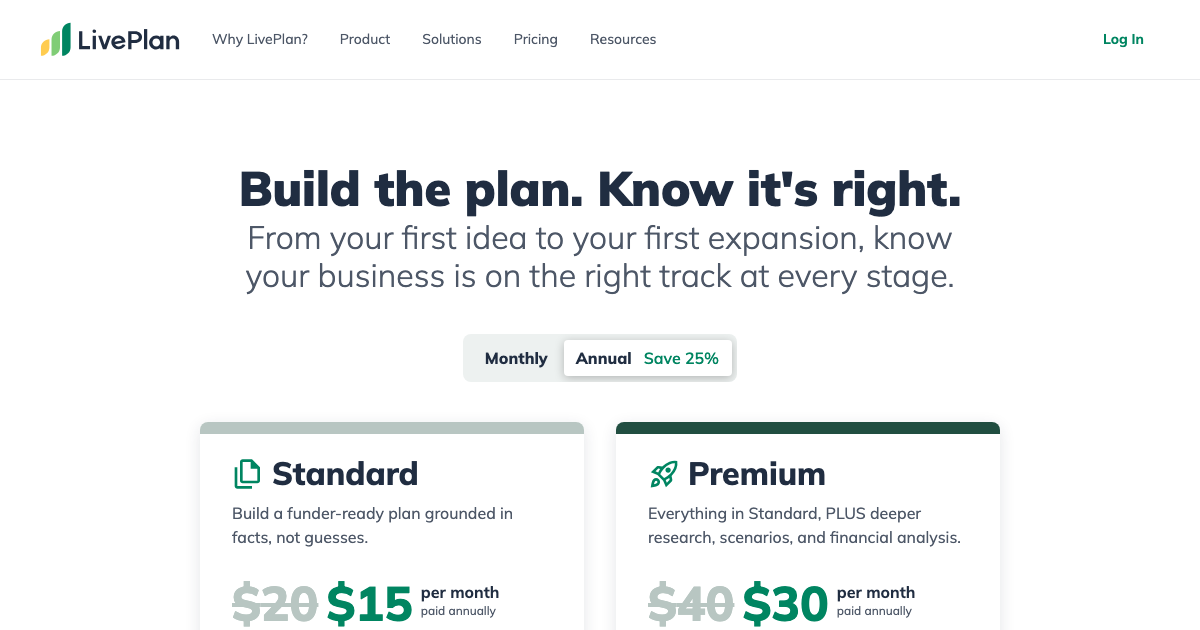
LivePlan is business planning rather than bookkeeping: a guided plan builder plus projections for profit and loss, balance sheet and cash flow, which it can fill with actuals pulled straight from QuickBooks Online so the plan gets measured against real numbers. Reach for it when a lender or investor wants a document, not when month-end is late. There is no free trial, only a 35-day money-back guarantee, and reviewers say the per-entity subscription gets expensive for one-off use.
A2X
A2X exists for one job: taking the lump-sum payouts Amazon, Shopify, Etsy, eBay, Walmart and PayPal deposit and breaking them into the sales, fees, refunds and tax lines that let a QuickBooks Online balance actually reconcile to the bank. Ecommerce bookkeepers treat it as the default, and it is among the highest-rated products in this table. Pricing is per sales channel and scales with order volume, so a multi-channel seller pays more than the headline figure, and reviewers say the initial setup rewards an accounting background.
Synder
Synder covers similar ground to A2X but reaches wider: it syncs Stripe, PayPal, Square, Shopify, Amazon and thirty-odd other payment and sales channels into QuickBooks, with reconciliation and revenue-recognition options on the higher tiers. That breadth is the reason to pick it over a payout-only tool, and also the reason less technical reviewers call it overwhelming to set up. Note that the headline price is the annual-billing rate; paying month to month costs more.
Avalara
Avalara automates sales tax: it calculates the right rate as each transaction is saved, tracks where you have crossed an economic-nexus threshold, and prepares and files returns, working inside both QuickBooks Online and QuickBooks Desktop. It is the incumbent for multistate sales tax and the right call once filings span several states. Its reviews are the weakest in this table, and the recurring complaint is billing rather than the tax engine: users report automatic upgrades to higher usage tiers and steep increases they did not expect.
inFlow Inventory
inFlow handles the stock side that QuickBooks covers only thinly: purchase and sales orders, barcode scanning, multiple locations and bills of materials, with a QuickBooks Online connection carrying the financial half. It is built for wholesalers, light manufacturers and multi-location retailers, and reviewers rate the interface and the support highly over long tenures. It is also by far the most expensive entry point here, and some reviewers report friction in the QuickBooks link when they want cost updates to flow back automatically.
Method CRM
Method is the CRM built specifically around QuickBooks, with a real-time two-way sync so customers, estimates and invoices stay identical in both systems and never get keyed twice. It works with QuickBooks Online, Desktop and Enterprise, and its selling point is that a non-developer can reshape screens and workflows to match how the business actually runs. Reviewers who invest in that customization rate it highly; the common complaints are a dated interface, per-user pricing that climbs with the team, and expensive help when the customization gets hard.
How we researched this
QuickBooks is itself accounting software, so we read the question as the stack people bolt onto it: apps that take over one job, from payroll to sales tax, and write the result back into the ledger. Intuit's own add-ons (QuickBooks Payroll, QuickBooks Time and QuickBooks Bill Pay) are QuickBooks, so they are out. Gusto, the payroll app many readers will expect, is missing because its site refused every page we tried to read, and Patriot took the payroll slot. TaxJar was dropped because we could find nothing on its site stating a QuickBooks integration. Method CRM is the loosest fit, included because its real-time two-way sync ties it to QuickBooks more tightly than almost anything else.
Ratings come from Capterra alone. BILL's is empty because its Capterra profile would not load, and a score from another review site would not line up with the rest. Capterra also supplied six prices where the vendor's own page was blocked or unreadable; the others are from each vendor. Figures are US list prices as of September 2026, and this category reprices often (Expensify has restructured its plans more than once), so confirm the plan and per-user terms at sign-up.