Free Scheduling Software
17 free scheduling tools compared on who the free plan covers, its limits and paid prices, from Calendly and Cal.com to Doodle, Rallly and Sling. Read our take
At a glance
| Option | Scheduling type | Free plan covers | Free plan limit | What's free | Paid plan from |
|---|---|---|---|---|---|
| Meeting booking linkssource | One booking page or event typesource | One event type, one calendar connection, one-on-one scheduling, a customizable booking page and the browser extensionsource | $10 per seat a month on Standard, billed yearlysource | ||
| Meeting booking linkssource | One personsource | Unlimited bookingssource | 1 user, unlimited links and calendars, email and SMS notifications, 100+ app integrations and Stripe or PayPal paymentssource | $12 per user/month on Teams, billed yearlysource | |
| Meeting booking linkssource | One personsource | Unlimited bookingssource | Unlimited links and calendar accounts, meeting polls, automated email reminders, group events and Stripe paymentssource | $7 per user / month on Pro, billed annuallysource | |
| Meeting booking linkssource | One booking page or event typesource | One shareable booking page with a personal Google accountsource | $14 per user/month for Business Standard, the cheapest plan with booking pagessource | ||
| Meeting booking linkssource | Unlimited bookingssource | Unlimited bookings and booking types, paid bookings, recurring, package and group bookings, and your own booking pagesource | $29 one-time for the Individual Lifetime deal on AppSumosource | ||
| Meeting booking linkssource | Capped bookings or pollssource | 1 calendar connection, 1 booking page and 30 bookings a monthsource | |||
| Client appointment bookingsource | Up to 10 peoplesource | Unlimited bookingssource | Up to 4 users, unlimited appointments, payments, a branded booking page and app, and email reminderssource | $5 per user / month on Pro with annual billingsource | |
| Client appointment bookingsource | More than 10 peoplesource | An online booking site and integrations, appointment reminders and unlimited staff calendarssource | $49 a month per location for Square Plussource | ||
| Client appointment bookingsource | One personsource | Capped team sizesource | One user, online meetings, notification emails and reminders, and two-way calendar syncsource | US$6 per user / month on Basic billed yearly, or US$8 billed monthlysource | |
| Client appointment bookingsource | One personsource | Capped bookings or pollssource | 50 bookings a month, 1 custom feature and 1 provider, with a booking website, widget and admin appsource | $11.9 per month billed annually, or $13.9 billed monthly, on Basicsource | |
| Client appointment bookingsource | Up to 10 peoplesource | Unlimited bookingssource | 3 users, 3 resources, 2 locations, 2 classes and unlimited appointmentssource | $3.00 per user, per month on Starter, billed annuallysource | |
| Client appointment bookingsource | More than 10 peoplesource | Unlimited bookingssource | The full release, self-hosted: a booking page, a team calendar and every record in your own databasesource | €20 a month, billed annually (€240 a year), for managed hostingsource | |
| Group availability pollsource | One booking page or event typesource | One group poll, one booking page, one 1:1 and one sign-up sheetsource | |||
| Group availability pollsource | One personsource | Capped bookings or pollssource | Unlimited polls and participants, with up to 3 polls open at a time and polls kept 30 dayssource | $6 per seat a month on Pro, billed yearlysource | |
| Employee shift schedulingsource | Up to 10 peoplesource | Capped team sizesource | Basic scheduling and time tracking for 1 location and up to 10 employees, plus a point-of-sale integrationsource | $30 per location / month on Essentials, unlimited employeessource | |
| Employee shift schedulingsource | More than 10 peoplesource | Capped team sizesource | Core shift scheduling for up to 30 users: shift schedules, time off and shift trade requestssource | $1.70 per user per month on Premium (list price $2.00)source | |
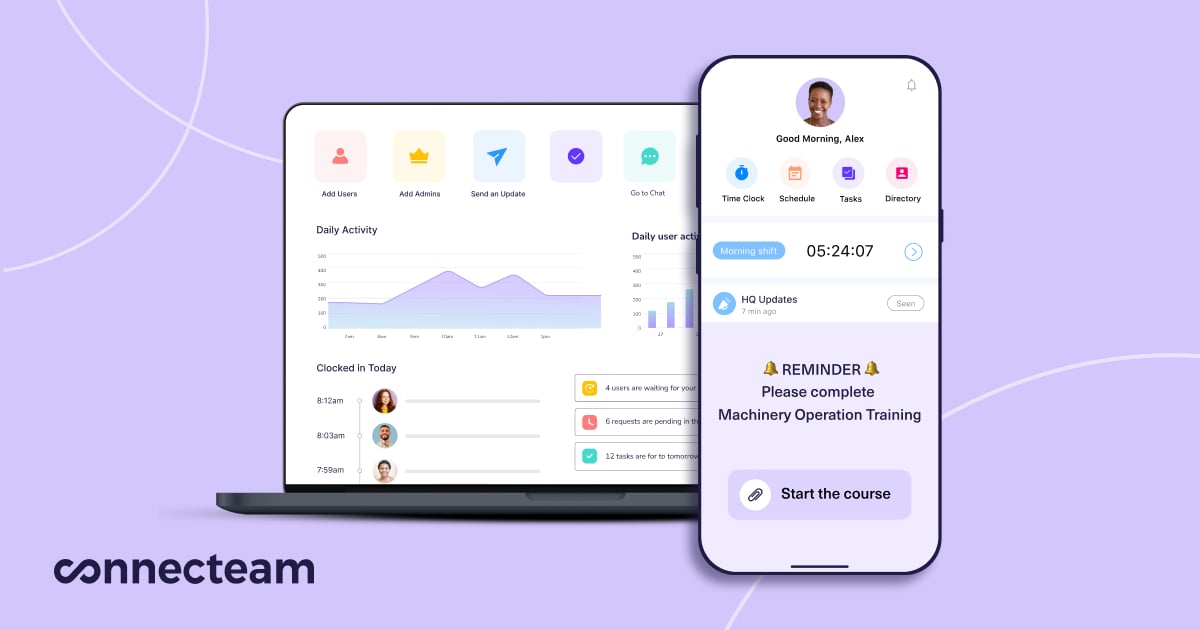
| Employee shift schedulingsource | Up to 10 peoplesource | Capped team sizesource | Every hub and feature, free for up to 10 userssource | $29 a month for the first 30 users on Operations Basic, billed yearly ($35 monthly)source |






Our take
For booking meetings with one link, Cal.com and Zcal give one person the most for nothing: unlimited links and calendars with no usage cap, where Calendly's free plan stops at one event type and one connected calendar. If clients book services from you, Setmore and Picktime both allow unlimited appointments free for a small team, up to 4 users on Setmore and 3 on Picktime.
The table mixes four jobs that all get called scheduling: booking links, client appointment booking, group availability polls such as Doodle and Rallly, and staff shift scheduling such as Homebase, Sling and Connecteam. Start with the Scheduling type column, then compare what each free plan runs out of first: bookings, booking pages, open polls, or people.
Our picks
- Best free plan for one person: Cal.com. Unlimited links and calendars, email and SMS notifications, and Stripe or PayPal payments, with no usage limits.
- Best for a small service business: Setmore. Up to 4 users with unlimited appointments, payments and a branded booking page on the free plan.
- Best free group poll: Rallly. Unlimited polls and participants, with up to 3 polls open at a time and no account needed to vote.
- Largest free team for shifts: Sling. Core shift scheduling is free for up to 30 users, three times Homebase's and Connecteam's 10.
- Best if you can run a server: Easy!Appointments. Open source under GPL-3.0 with unlimited bookings, staff and features when you host it yourself.
Unlimited bookings or one booking page
The free limit that matters most is different for each tool. Cal.com, Zcal, TidyCal, Setmore, Picktime and a self-hosted Easy!Appointments have no cap on bookings. Calendly, Doodle and Google Calendar appointment schedules instead limit you to one event type or one booking page, which is fine for a single kind of meeting and tight for a menu of services.
Two tools count bookings instead: SimplyBook.me stops at 50 bookings a month with one provider, and YouCanBook.me at 30 bookings a month on one booking page. Rallly caps open polls at 3 rather than bookings, and Zoho Bookings caps the plan at one user.
Free scheduling for a whole team
Most booking tools are free for one person only. Setmore (4 users) and Picktime (3 users) are the exceptions on the appointment side, and Square Appointments includes unlimited staff calendars on its free plan for one location, earning its money on card processing instead.
For hourly staff the shift tools are the free answer. Sling covers up to 30 users, while Homebase and Connecteam stop at 10. Homebase's free Basic plan is also limited to 1 location, and Connecteam's free plan includes every hub and feature, so the choice depends on whether you need more people or more tools.
What the first paid plan costs
Priced per user, the cheapest upgrade here is Sling Premium at $1.70 per user a month, which adds time tracking and labor-cost tools to its shift scheduling. Among booking tools, Picktime's Starter at $3.00 per user a month comes first, then Setmore Pro at $5, Zoho Bookings Basic at US$6, Rallly Pro at $6 per seat and Zcal Pro at $7, each with yearly billing. Calendly Standard is $10 per seat, Cal.com Teams $12 per user and Google Workspace Business Standard $14 per user.
The rest are not priced per person, so set them against your team size. Connecteam's Operations Basic is $29 a month for the first 30 users billed yearly, Homebase Essentials is $30 per location and Square Plus $49 a month per location, while TidyCal sells a $29 one-time lifetime plan and Easy!Appointments charges €20 a month for managed hosting. Check whether a price is yearly or monthly on the vendor's page before you compare.
The options in detail
Calendly
The best-known booking-link tool: you share a link and people pick an open time on your calendar. The free plan is always free but deliberately narrow, with one event type and one connected calendar, so it suits one kind of meeting rather than a menu of services. Reminders, payments and multiple calendars all sit on the paid Standard plan.
Cal.com
An open-source rival to Calendly whose hosted free plan is unusually generous for one person: unlimited links and calendars, email and SMS notifications, and Stripe or PayPal payments, with no usage limits. It also imports Calendly event types in one click. Team features such as round-robin and shared availability start on the paid Teams plan.
Zcal
A booking-link tool that gives individuals almost everything free: unlimited links and calendar accounts, meeting polls, automated email reminders, group events and Stripe payments, with no ads. The company bills it as the most generous free plan in scheduling. Paid plans add teams, SMS reminders and your own branding.
Google Calendar Appointment Schedules
Booking pages built into Google Calendar, so there is nothing new to sign up for if you already use it. A personal Google account gets one booking page to try, set up from Calendar on a computer (not the phone app). Multiple booking pages, payment collection, automated email reminders and verified bookings need a paid Google Workspace plan.
TidyCal
A booking-link tool from AppSumo best known for its pay-once lifetime deal, though it now also has a forever-free plan with unlimited bookings and booking types, paid bookings, and recurring, package and group bookings. The free plan reads only one calendar and charges a 1% platform fee on paid bookings. Branding removal and a custom domain need the Pro subscription.
YouCanBook.me
A highly customizable booking-page tool that checks your calendar and lets people book open times. The free plan is tight: one calendar connection, one booking page and 30 bookings a month, which suits occasional scheduling. Paid plans add more calendars and booking pages, unlimited bookings and reminder workflows, and the site offers a 2-week free trial of them.
Setmore
Appointment booking for service businesses with one of the roomiest free plans: up to four users, unlimited appointments, payments, a branded booking page and mobile app, and email reminders. Support is 24/7 and human on every plan. SMS reminders, two-way calendar sync and removing Setmore branding come with Pro.
Square Appointments
Square's booking system for salons, studios and other service businesses, tied into Square payments and point of sale. The free plan includes an online booking site, appointment reminders and unlimited staff calendars for one location, and Square makes its money on card processing fees. Paid plans are priced per location and add more advanced tools for growing teams.
Zoho Bookings
Zoho's appointment scheduler, which fits naturally if you already use Zoho's other business apps. The forever-free plan is for one user and covers online meetings, notification emails and reminders, and two-way sync with Zoho, Google and Microsoft calendars. Adding staff, payments and integrations means moving to a per-user paid plan.
SimplyBook.me
A full booking system for service businesses, with a booking website, widget and admin app on every plan. The free plan has no time limit and needs no card, but it is capped at 50 bookings a month and one provider, and must be renewed monthly. Client payments and more providers come with the paid tiers.
Picktime
A low-cost appointment and class booking tool for small businesses. The free plan covers three team members, three resources, two locations and two classes with unlimited appointments, an online booking page and PayPal payments, plus iOS and Android apps. Reminders, two-way calendar sync and Stripe or Square payments start on Starter, one of the cheapest paid plans here.
Easy!Appointments
Free, open-source booking software you install on your own server, so appointments and customer records stay in your own database. The GPL-3.0 release has no licence fee and no seat limits, and the project says the same release runs for solo practitioners and large organisations. The trade-off is running and updating a server yourself, unless you pay for managed hosting.
Doodle
The original group poll: propose times, share a link, and everyone marks when they can make it. The free plan now allows one of each tool (one group poll, one booking page, one 1:1 and one sign-up sheet) and shows ads, which suits someone who books the occasional meeting. Unlimited polls, deadlines and reminders, and video-call integrations need Pro.
Rallly
An open-source meeting poll for finding a time a group can meet, with no account needed to create or vote on a poll and no ads. The free plan is not a trial: you can create as many polls as you like with unlimited participants, but only three can be open at once, and inactive polls are deleted after 30 days. Pro adds unlimited open polls, email invites and team collaboration.
Homebase
Employee scheduling and time tracking for hourly teams such as restaurants and shops. The free Basic plan covers one location and up to 10 employees, with basic scheduling, basic time tracking and a point-of-sale integration. Team messaging, advanced scheduling and unlimited employees come with paid plans priced per location, and payroll is a separate add-on.
Sling
Shift scheduling and team messaging for hourly staff, now owned by Toast. Its core scheduling features are free for up to 30 users, the largest free team size in this table: building shift schedules, handling time-off and shift-trade requests, and messaging the team. Time clocks and labor-cost tools are paid add-ons priced per user.
Connecteam
An all-in-one app for deskless teams that covers scheduling, a time clock, chat and HR tools. Its Small Business Plan gives every hub and feature free for up to 10 users, which makes it the fullest free plan for a small crew. Past 10 users, paid hubs are priced as a flat monthly fee for the first 30 users plus a small charge per extra user.
How we researched this
We read each tool's own pricing page, plus Google's help and Workspace pages for appointment schedules, and recorded every value with the sentence it came from. The set covers the free booking-link, appointment, group-poll and shift-scheduling tools that most often appear in roundups and that state their free plan plainly. HubSpot's meeting scheduler was left out because its page states no free-plan limits or paid price, When2meet because its site states almost nothing about itself, and Acuity and Microsoft Bookings because they have no free plan.
A blank cell means the page did not state that detail: YouCanBook.me and Doodle show paid prices only in a browser, and several tools do not say how many people the free plan covers. Free tiers change often, so confirm the current limits before you commit.