Best Scheduling Software Without a Subscription
Cal.com has an unusually generous free plan for one person: unlimited event types, unlimited calendars, no cap on meetings, and payments through Stripe or PayPal, with no subscription. If you would rather buy something once, TidyCal is a $29 one-time license, and FluentBooking is $199 once for a single WordPress site.
Ten of the fifteen are free cloud plans, so the real question is which limit each one puts on you. Appointlet stops at 25 meetings a month and SimplyBook.me at 50 bookings, while Calendly allows unlimited meetings but only one event type and one calendar. Teams have fewer choices: Setmore (up to four users), Picktime (three) and Appointlet (five) are the free plans built for a small team.
Our picks
- One person who wants nothing capped: Cal.com. Unlimited event types and calendars with no meeting limit on the free plan, plus Stripe or PayPal payments and a one-click import from Calendly.
- Buying it once and keeping it: TidyCal. $29 one-time through AppSumo, with unlimited bookings and Google, Office 365 and Apple calendar sync.
- A small team on a free plan: Picktime. Three team members, unlimited appointments, two locations, class bookings and PayPal payments, at no cost.
- Bookings on your own WordPress site: FluentBooking. $199 one-time for a single site, with unlimited hosts, calendars and meetings, and Nextcloud sync alongside Google, Apple and Outlook.
- Running it on your own server: Easy!Appointments. Free and open source with no monthly fee or booking commission, handling providers with their own schedules, booking rules and group sessions on a PHP and MySQL server.
At a glance
| Option | Cost | Price | Hosting | Best for | Calendar sync | Booking limit |
|---|---|---|---|---|---|---|
| Free plansource | Freesource | Cloudsource | One personsource | Unlimited calendarssource | No usage limitssource | |
| Free and open sourcesource | Freesource | Self-hostedsource | One personsource | Google Calendarsource | ||
| Free plansource | Freesource | Cloudsource | One personsource | One calendar connectionsource | Unlimited meetingssource | |
| Free plansource | Freesource | Cloudsource | One personsource | Zoho, Google and Microsoft 365/Outlook.comsource | ||
| Free plansource | Freesource | Cloudsource | A small teamsource | Google and Office 365source | Unlimited appointmentssource | |
| Free plansource | Freesource | Cloudsource | One personsource | Google or Outlooksource | 50 bookings includedsource | |
| Free plansource | Freesource | Cloudsource | A small teamsource | Google Calendarsource | Unlimited appointmentssource | |
| Free plansource | Freesource | Cloudsource | One personsource | Google, Outlook and Applesource | Unlimited bookingssource | |
| One-time purchasesource | $29 one-timesource | Cloudsource | One personsource | Google, Office 365 and Applesource | Unlimited bookingssource | |
| Free plansource | Freesource | Cloudsource | A small teamsource | Google and Office 365source | 25 meetings per monthsource | |
| Free plansource | Freesource | Cloudsource | One personsource | One calendar (Google, Apple, Microsoft and more)source | ||
| Free plansource | Freesource | Cloudsource | One personsource | Google Calendarsource | ||
| Free and open sourcesource | Freesource | Self-hostedsource | A business with staffsource | Google Calendarsource | ||
| Free plansource | Freesource | WordPress pluginsource | A business with staffsource | Google Calendarsource | ||
| One-time purchasesource | $199 one-time (single site)source | WordPress pluginsource | A business with staffsource | Google, Apple, Outlook and Nextcloudsource | Unlimited meetingssource |


Which tiers cap your bookings
Two of the cloud plans state a booking cap. Appointlet allows 25 meetings a month, even though up to five people can share the account. SimplyBook.me includes 50 bookings, and its paid tiers start at around $12 a month once you run past them.
Other plans cap something else. Calendly's free plan has one event type and one connected calendar, and YouCanBookMe gives one booking page and one calendar. SimplyBook.me gives you a single custom feature slot, so if you spend it on Google or Outlook sync, nothing else fits. Zoho Bookings, YouCanBookMe and Square Appointments don't publish any booking count.
Taking payments without paying monthly
Several free plans will collect money for you. Cal.com takes Stripe or PayPal, Setmore takes Stripe, Square or PayPal, YouCanBookMe takes Stripe including Apple Pay and Google Pay, and Picktime takes PayPal, with Stripe and Square only from $3 per user per month. Amelia Lite, the free WordPress plugin, collects payments through Square at no extra charge.
Two of the no-subscription options take their cut per transaction instead. Square Appointments is free because Square keeps 2.6% plus 15 cents on an in-person card and 3.3% plus 30 cents online. TidyCal adds a 1% platform fee on paid bookings, on top of Stripe's own charges, unless you move to its monthly Pro plan. Calendly, Koalendar and Zoho Bookings keep payments behind their paid tiers, and Appointlet charges $9 per member per month for it.
Self-hosting or a WordPress plugin
Four options put the software on your own infrastructure. Cal.diy is the MIT-licensed community fork of Cal.com with no hosted version at all, and its README recommends it for personal, non-production use by someone with real server administration skills. Easy!Appointments needs a server with PHP and MySQL, and ships plugins for WordPress, Joomla and Drupal plus a Docker image.
On WordPress, Amelia Lite is free but holds back unlimited employees, reminders and custom notifications for its paid versions. FluentBooking has a free version on WordPress.org, so you can try it before paying $199 for the lifetime license.
The options in detail
Cal.com
Cal.com is the hosted version of a well known open source scheduler, and its free tier is unusually generous for one person: unlimited event types, unlimited calendars and no cap on the number of meetings you take. It is also one of the few free plans that will take a payment for you, through Stripe or PayPal, and it imports existing Calendly events in a click. The trade-off is that anything collaborative, such as shared team availability, round robin routing or removing Cal.com branding, starts at the paid plans.
Cal.diy
Cal.diy is the community fork of Cal.com with every commercial feature removed and the whole codebase relicensed under MIT, so there is no license key, no account and no vendor to pay. It is the closest thing here to owning your scheduler outright, and there is no hosted option at all: you run it on your own infrastructure. Its own README warns that self-hosting demands real server administration skills and recommends it for personal, non-production use, so it suits a developer rather than a salon owner.
Calendly
Calendly is the scheduling link most people already recognise, which matters when you are sending it to clients. Its free plan is deliberately narrow: one event type and one connected calendar, but no cap on how many meetings people book through it. That fits a single link for one kind of meeting, such as a 30 minute intro call. A second meeting type, automated reminders or taking payment all require a paid seat.
Zoho Bookings
Zoho Bookings keeps a Forever Free plan for a single user that covers the fundamentals: an online meeting link, notification emails and reminders, and two-way sync with Zoho, Google and Microsoft 365 calendars. It makes most sense if you already work in other Zoho apps, since bookings land beside the rest of your records. Collecting payments, routing customers to the right booking page and team scheduling are all reserved for the paid tiers.
Setmore
Setmore is the rare free plan built for a small team rather than one person: up to four users share the calendar and a branded booking page, with unlimited appointments, email reminders and iOS and Android apps. It is aimed at appointment businesses such as salons, trainers and clinics, and it will take payments through Stripe, Square or PayPal. Two-way calendar sync, SMS reminders and recurring appointments sit on the paid Pro plan.
SimplyBook.me
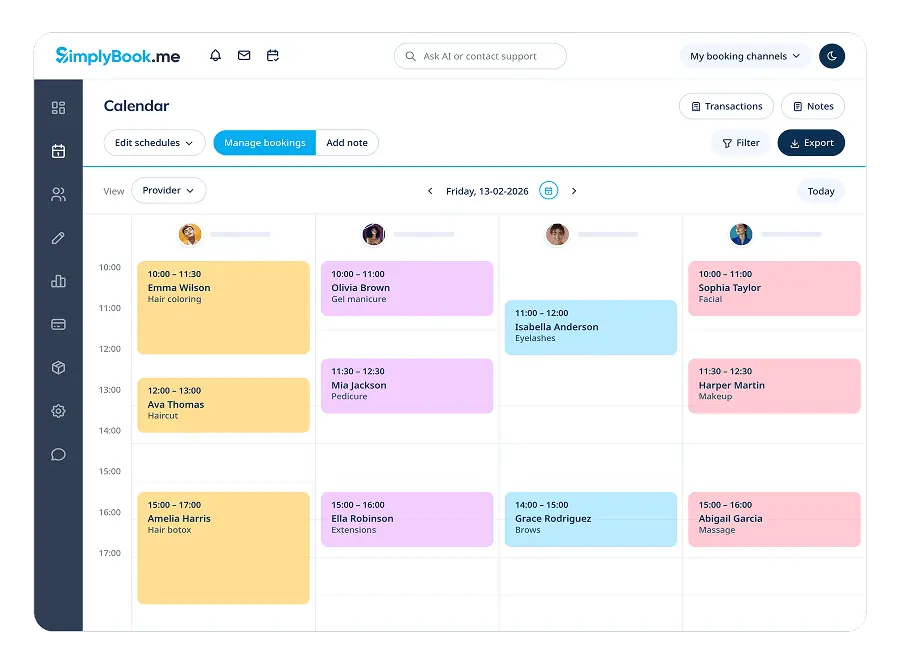
SimplyBook.me gives one provider a free booking website and widget, an admin app and a WordPress widget, with 50 bookings included and a single custom feature slot you spend on whichever extra matters most, such as Google or Outlook calendar sync. That modular design keeps the free plan honest but means the thing you want may be the one slot you have. A busy calendar will run through 50 bookings quickly, at which point the paid tiers start at around $12 a month.
Picktime
Picktime's free tier is the most generous here for a small operation: three team members, unlimited appointments, three resources, two locations, class bookings and PayPal payments, all at no cost, with iOS and Android apps included. Its integrations list covers Google, Outlook, Apple and Office 365 calendars. The interface is plainer than Calendly's, and Stripe and Square payments only appear on the paid plans, which start at $3 per user per month.
Koalendar
Koalendar is a straightforward Calendly alternative whose free plan keeps the two things people most often pay for elsewhere: unlimited bookings and unlimited booking pages. It connects Google, Outlook and Apple calendars, has mobile apps, and translates booking pages into more than 30 languages. It is built for personal use, so accepting payments, automated reminders, group sessions and removing Koalendar branding all sit behind the Pro plan.
TidyCal
TidyCal is the one product here you can simply buy: a $29 lifetime licence through AppSumo, bought once and kept. There is a free tier too, so the licence is really about connecting more calendars, group and recurring bookings, and automatic Zoom, Meet or Teams links. Paid bookings carry a 1% platform fee on top of Stripe's own processing charges unless you move to the monthly Pro plan, which is worth checking if you take money through it often.
Appointlet
Appointlet's free plan is unusual in allowing up to five members on one account, which suits a small team sharing a single scheduling page. The trade-off is a hard cap of 25 meetings a month, so it fits low volume booking rather than a full appointment book. Calendar sync covers Google and Office 365 and the video conferencing integrations are included, but collecting payment through Stripe or PayPal is a Premium feature at $9 per member per month.
YouCanBookMe
YouCanBookMe gives away one booking page and one connected calendar, and unusually it lets the free plan take Stripe payments, including Apple Pay and Google Pay. The booking page itself is more customisable than most free tiers allow, with your own logo, text, questions and confirmation emails. Support on the free plan is limited to the help site, community forum and video resources, with one to one help reserved for paying customers.
Square Appointments
Square Appointments costs nothing per month for a single location, because the scheduling software is really a front end for Square's payments business: the money comes from the 2.6% plus 15 cents it takes on a card tapped in person and 3.3% plus 30 cents online. In exchange the free tier is broad, with an online booking site, appointment reminders, invoicing and unlimited staff calendars. If you do not want to process payments through Square, most of the appeal disappears.
Easy!Appointments
Easy!Appointments is a PHP application you install on your own server, free under an open source licence with no monthly fee and no commission on bookings. It handles services, providers with their own schedules, booking rules, group sessions and Google or CalDAV sync, and it ships WordPress, Joomla and Drupal plugins plus a Docker image. The real cost is the hosting and the setup: you need a server with PHP and MySQL, and paid help is available from the maintainers if you want features built.
Amelia Lite
Amelia Lite is the free version of a widely used WordPress booking plugin, so appointments live on your own site and in your own database instead of on someone else's booking page. It covers services, employees, events, Google Calendar sync and, unusually for a free plugin, payment collection through Square at no extra charge. The developer is explicit that an unlimited number of employees, custom notifications, reminders and multilingual support are held back for the paid versions.
FluentBooking
FluentBooking is a WordPress plugin sold with a lifetime licence, which is the reason it belongs here: pay once for a single site and you keep updates and support without renewing. Even the entry tier removes the caps that free cloud plans lean on, with unlimited hosts, calendars and meetings, plus Google, Apple, Outlook and Nextcloud sync and Stripe or PayPal payments. There is a free version on WordPress.org, so you can run it before deciding whether the licence is worth it.
How we researched this
We took "without a subscription" to mean three routes: a free tier with no end date, open source software you run yourself, and a license bought once. Doodle and Rallly are free but are group polls rather than booking pages. Acuity Scheduling offers only a trial, and Vagaro and Microsoft Bookings have no option outside a subscription. Booknetic sells a one-time license, but neither its price nor Bookly's appeared anywhere we could read, so both are left out rather than listed with a guessed figure.
The empty Booking limit cells are either self-hosted or plugin software with no plan tiers (Cal.diy, Easy!Appointments, Amelia Lite) or free plans that describe their limits in users and calendars and never in bookings (Zoho Bookings, YouCanBookMe, Square Appointments). Picktime's calendar cell names only Google, though its integrations list also shows Outlook, Apple and Office 365. FluentBooking's $199 was a discount from a $249 list price in September 2026, and TidyCal's license is sold through AppSumo, so make sure the one-time price is still on offer before you plan around it.